• Skip to primary navigation
  • Skip to main content
  • Skip to primary sidebar
  • Skip to footer

SuperTekBoy

Practical Help for Exchange & Office 365

  • Exchange
    • News
    • Tutorials
    • Solve a Problem
  • Office 365
    • News
    • Tutorials
    • Solve a Problem
  • Outlook
    • Tutorials
    • Solve a Problem
  • Books
  • Podcasts
  • Quick Links…
    • Generate or Renew SSL Certs for Exchange
    • Connect PowerShell to Exchange Online
    • Connect PowerShell to Office 365
    • Extend Schema for Exchange
    • Exchange Schema & Build Numbers
  • More…
    • Kemp Load Balancers
    • Other tech…
    • Videos
    • About SuperTekBoy
    • Contact Us

HP

Accessing HPe iLO 3 fails with Unsupported Protocol: ERR SSL VERSION OR CIPHER MISMATCH

November 19, 2021 By Gareth Gudger 29 Comments

Share
Tweet
Share

UPDATE: Since writing this article in November it does not appear this fix works anymore. I am guessing the AES/3DES ciphers have been deprecated in modern browsers. I can confirm David’s comment using Internet Explorer mode in Microsoft Edge does work.

To enable IE mode, launch edge and type edge://settings/defaultBrowser in the address bar. From the Allow sites to be reloaded in Internet Explorer mode drop-down, select Allow.

Navigate to your iLO URL, select the three dots in the top right (Settings), and pick Reload in Internet Explorer mode from the menu. Edge will remember this setting on each subsequent visit.

If you are trying to connect a modern browser such as Microsoft Edge to HPe’s Integrated Lights Out 3 (iLO 3) management interface, you may receive the following error and be blocked from accessing the iLO webpage.

ERR_SSL_VERSION_OR_CIPHER_MISMATCH

Unsupported protocol
The client or server don't support a common SSL protocol version or cipher suite.
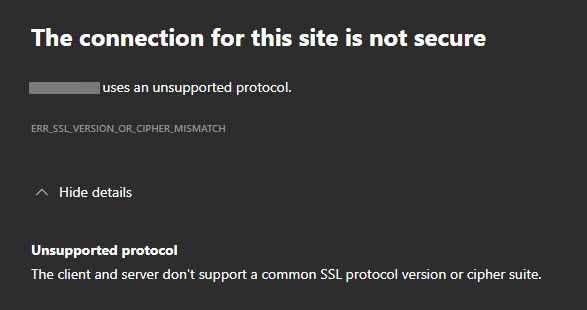
ERR SSL VERSION OR CIPHER MISMATCH - The client or server don't support a common SSL protocol version or cipher suite.

To resolve this error, I recommend ensuring you are on the latest iLO 3 firmware from HPe. At the time of writing, 1.94 was the latest HPe firmware for iLO 3 (released Dec 17, 2020). Firmware can be updated in several ways, including uploading the BIN file via the iLO webpage or online from any number of operating systems, including Windows, Linux, and VMware. Also, refer to the HPe documentation on how to upgrade your firmware.

Once you have the latest firmware, log into the iLO webpage from an older browser, such as Internet Explorer. Then, from the left navigation menu, expand Administration and select Security.

From the Security page, select the Encryption tab.

Then, under the Encryption Enforcement Settings section, toggle the Enforce AES/3DES Encryption dropdown to Enabled.

Click Apply.

[Read more…] about Accessing HPe iLO 3 fails with Unsupported Protocol: ERR SSL VERSION OR CIPHER MISMATCH
Filed Under: HP, Other Tech

How to add space to an HP StoreVirtual Virtual SAN Appliance – PART II

January 7, 2014 By Gareth Gudger 4 Comments

Share
Tweet
Share

Previous: How to add space to an HP StoreVirtual Virtual SAN Appliance – PART I

In our previous article, we got a lot accomplished.

  • We added hard drives to both of our servers.
  • We prepared our existing virtual environment for maintenance.
  • We then booted into HP Intelligent Provisioning and created a logical RAID 5 array.
  • We created an exclusive datastore in VCenter for the VSAs.
  • We added all that datastore space as virtual disks to the VSA virtual machines.

We are now ready for these new disks to be provisioned in the HP Management Console. Part II leads off with Step 6.

[Read more…] about How to add space to an HP StoreVirtual Virtual SAN Appliance – PART II

Filed Under: HP, Other Tech

How to add space to an HP StoreVirtual Virtual SAN Appliance – PART I

January 5, 2014 By Gareth Gudger 5 Comments

Share
Tweet
Share

An HP Virtual SAN Appliance is a great way to take existing local storage from multiple physical servers and combine them into a Virtual SAN. A Virtual SAN is a great way to get all the benefits of a traditional SAN, but at a fraction of the cost. In essence, the SAN is entirely software-based. The Virtual SAN Appliances (VSAs) that make up the SAN can be hosted either on VMware ESXi or Microsoft Hyper-V.

This particular article will focus on how to increase the storage space on a Virtual SAN Appliance that is already in production. It will focus specifically on a storage appliance hosted on VMware. In our scenario we will have two Virtual SAN Appliances, each running on VMware ESXi 5.1 with HP ProLiant Gen8 hardware. A Fail-Over Manager (FOM) will also exist and its sole purpose is to act as a tie-breaker during elections.

[Read more…] about How to add space to an HP StoreVirtual Virtual SAN Appliance – PART I

Filed Under: HP, Other Tech

Can’t join an HP LeftHand FailOver Manager to Management Group

June 30, 2013 By Gareth Gudger Leave a Comment

Share
Tweet
Share

Storage system [FOM NAME] ([IP ADDRESS]) did not join the management group [MANAGEMENT GROUP NAME].

The required directory /etc/lefthand/data is not mounted. Please restore OS using recovery media.

I ran into this error recently while trying to add an HP LeftHand Failover Manager (running on Hyper-V) to a management group with two HP LeftHand VSAs (running on VMware ESXi 5.1). We were using SAN iQ 10.5.

I tried blowing the FOM away multiple times and reinstalling from scratch but this did not help. I ended up calling  HP and this is a known issue that they are working on. There is no patch yet but there is a workaround.

[Read more…] about Can’t join an HP LeftHand FailOver Manager to Management Group

Filed Under: HP, Other Tech

HP Intelligent Provisioning Firmware Update Failed

June 3, 2013 By Gareth Gudger 3 Comments

Share
Tweet
Share

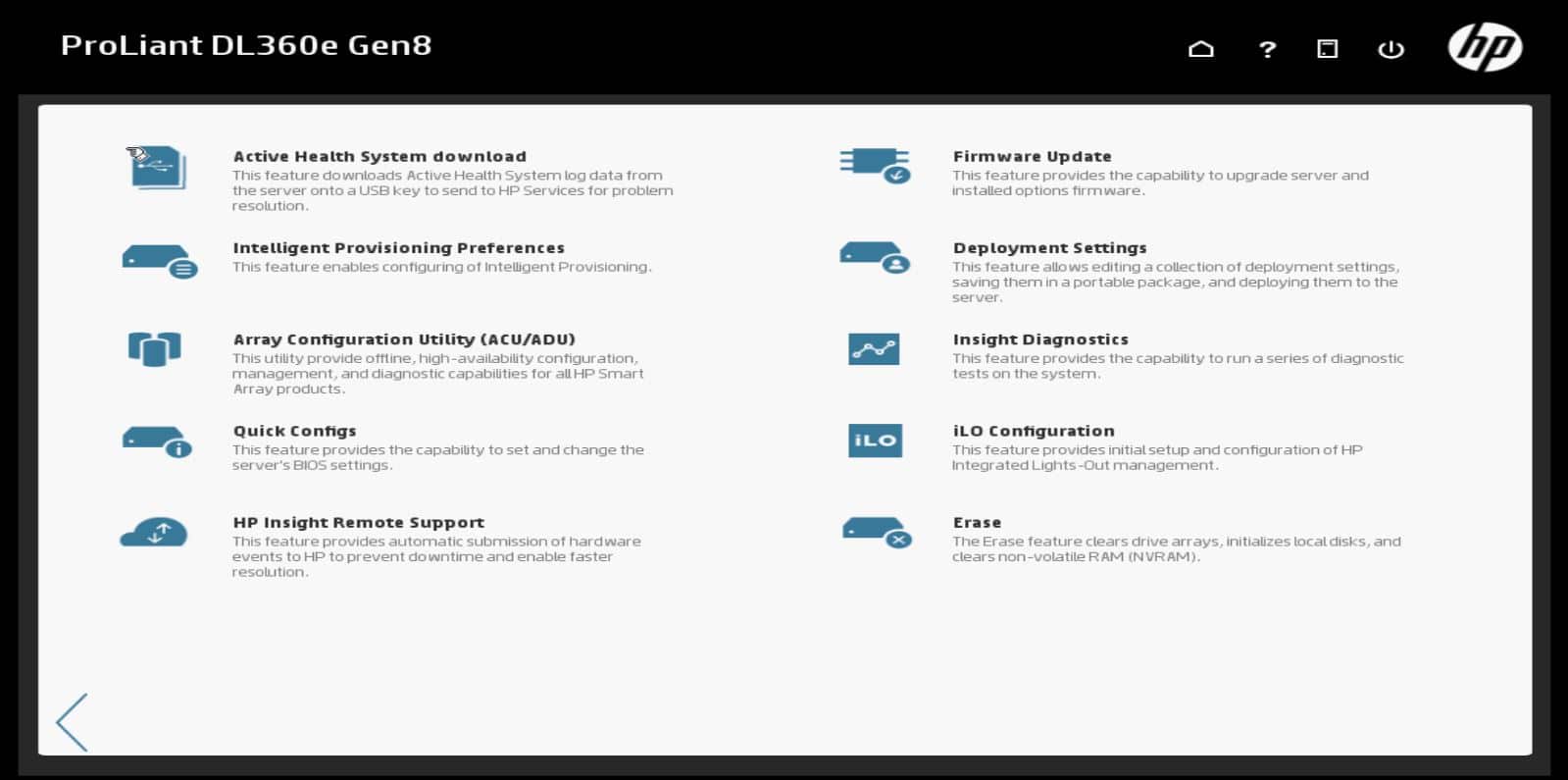
So, I finally got to set up my first Gen8 server. It is a ProLiant DL360e Gen8. Two actually. At first, I was very happy with all the new advancements. No more searching for a SmartStart CD you say! Brilliant! No more confusion on SmartStart version compatibility? Wicked! (Yes, there is a VERY fine line of SmartStart CD’s that will support both a ProLiant DL360 G4p and putting Server 2008 R2 on it – I like to live dangerously!). So, as many of you already know Intelligent Provisioning replaced SmartStart CDs. The cool part is, you just boot right into it. Its an option – F10 at POST. Neat huh? And it looks so sharp too. (Check the image below)

HP Intelligent Provising Maintenance Tasks

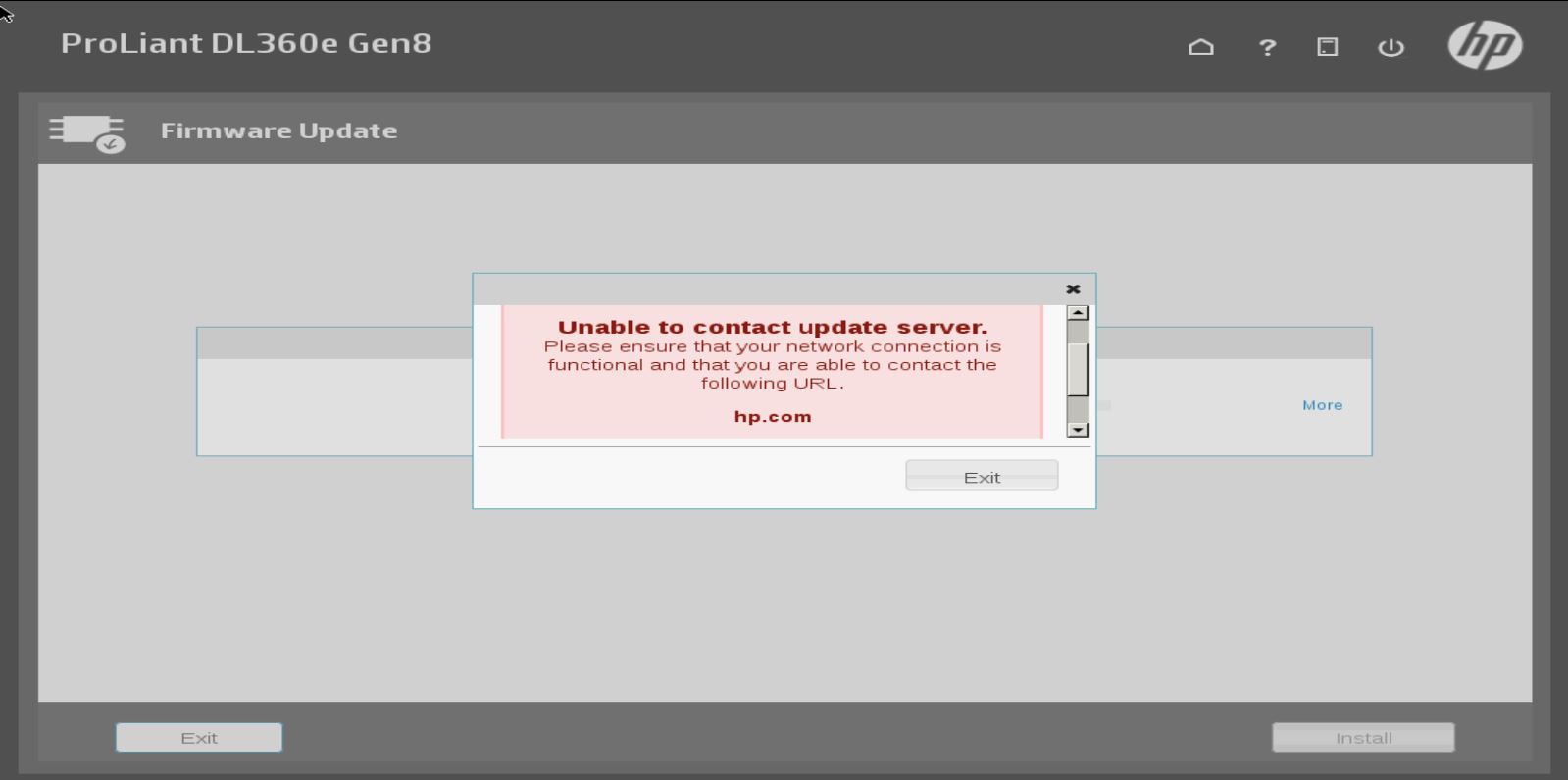
They have this neat feature called Firmware Update that will directly connect to HP.com (or a local update server) and get all your firmware updates for you. Very neat. Especially useful if we are using an OS like VMware ESXi. So I configured the network settings on both my servers and got the error in the screenshot below.

HP Intellgient Provisioning Firmware Update Fail

I checked my settings a dozen times on both servers, tried different IPs, different NIC ports on the server and sadly no luck. It just wouldn’t connect. I called HP and the first tech has me update from v1.30 to v1.40.88. Sadly this did not help. I called back (different tech this time) and they told me this is a known issue with certain servers running certain system firmware versions and that they are working on it.

Insert sad face. 🙁

This seems like a really cool feature. I just wish I could test it. Until then, I will be going back to downloading the bootable Service Pack for ProLiant DVD.

Filed Under: HP, Other Tech

Primary Sidebar

Want to stay up to date?

Sidebar Form

Join thousands of IT professionals and get the latest Exchange & Office 365 tips and tutorials direct to your inbox

DigiCert Banner 300x348

(help support us using our affiliate link)

Footer

Site Navigation

  • Subscribe to blog
  • About SuperTekBoy
  • Disclaimer
  • Privacy & Cookies
  • Contact Us

Want to stay up to date?

Footer Form

Join thousands of IT professionals and get the latest Exchange & Office 365 tips and tutorials direct to your inbox

Join the conversation

  • Twitter
  • LinkedIn
  • Facebook
  • RSS

Copyright © 2025 · SuperTekBoy LLC