• Skip to primary navigation
  • Skip to main content
  • Skip to primary sidebar
  • Skip to footer

SuperTekBoy

Practical Help for Exchange & Office 365

  • Exchange
    • News
    • Tutorials
    • Solve a Problem
  • Office 365
    • News
    • Tutorials
    • Solve a Problem
  • Outlook
    • Tutorials
    • Solve a Problem
  • Books
  • Podcasts
  • Quick Links…
    • Generate or Renew SSL Certs for Exchange
    • Connect PowerShell to Exchange Online
    • Connect PowerShell to Office 365
    • Extend Schema for Exchange
    • Exchange Schema & Build Numbers
  • More…
    • Kemp Load Balancers
    • Other tech…
    • Videos
    • About SuperTekBoy
    • Contact Us

Backup Exec 2012 Jobs Keep Losing Connectivity To Remote Agents

July 12, 2013 By Gareth Gudger 2 Comments

Share
Tweet
Share

V-79-57344-65072 – The connection to target system has been lost. Backup set canceled.

I ran into this error recently at one of my clients with their new Backup Exec 2012 implementation. The jobs would sometimes work, but mostly they would fail with the error above. They would also fail at seemingly random byte counts. The implementation was backing up two servers. One of the servers was also the media server and this local backup always succeeded as expected and without incident. The other server, the one that was often failing, was the one with the remote agent.

This made me quickly look towards the network. As a test, I kicked off the problematic backup and monitored the network bandwidth usage in Task Manager on both servers. I also had a continuous ping going between the two servers. The first thing that became apparent was that the network bandwidth (100Mb switch) was completely saturated during the backup. Both servers continually reported a steady hold at 100% network utilization.

Then it happened. At first, I saw the continuous ping start to fail between the two servers. Then I noticed the network links as being reported down on both servers. I could only assume at this point the switch that connected these two servers together was having problems. I logged into the switch and checked the uptime. Lo and behold the switches uptime was just a couple of minutes. I repeated this test a few more times and even tried different switch ports and network cables. Same result every time. The switch kept rebooting. I could only assume this older switch could not handle the constant 100% network load.

[Read more…] about Backup Exec 2012 Jobs Keep Losing Connectivity To Remote Agents

Print Friendly, PDF & Email

Filed Under: Other Tech, Symantec

Don’t forget ExFolders

July 1, 2013 By Gareth Gudger 9 Comments

Share
Tweet
Share

Before you run to restore that deleted Public Folder from tape don’t forget ExFolders.

I recently had a situation where someone had inadvertently deleted a Public Folder. I had previously downloaded ExFolders for another problem and remembered I had this on the server. I quickly connected to the Public Folders, showed all deleted folders, and recovered in a snap. The user had the folder immediately.

[Read more…] about Don’t forget ExFolders
Print Friendly, PDF & Email

Filed Under: Exchange Solutions

Can’t join an HP LeftHand FailOver Manager to Management Group

June 30, 2013 By Gareth Gudger Leave a Comment

Share
Tweet
Share

Storage system [FOM NAME] ([IP ADDRESS]) did not join the management group [MANAGEMENT GROUP NAME].

The required directory /etc/lefthand/data is not mounted. Please restore OS using recovery media.

I ran into this error recently while trying to add an HP LeftHand Failover Manager (running on Hyper-V) to a management group with two HP LeftHand VSAs (running on VMware ESXi 5.1). We were using SAN iQ 10.5.

I tried blowing the FOM away multiple times and reinstalling from scratch but this did not help. I ended up calling  HP and this is a known issue that they are working on. There is no patch yet but there is a workaround.

[Read more…] about Can’t join an HP LeftHand FailOver Manager to Management Group
Print Friendly, PDF & Email

Filed Under: HP, Other Tech

Blackberry Enterprise Transport Tool saves the day!

June 30, 2013 By Gareth Gudger Leave a Comment

Share
Tweet
Share

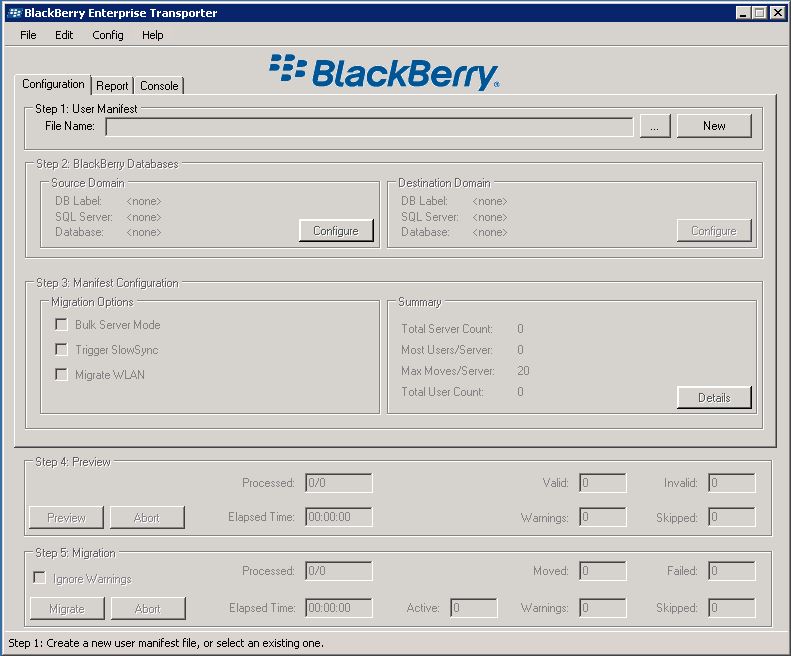
Click here to link to the Blackberry Enterprise Transporter Tool

I had to use it recently when our existing BES server was getting squished on resources and I needed to move the Blackberry Enterprise Server role onto a new box.

So, if you don’t want to force all your users through the pain of reactivating their phones, or, the hassle of recreating all your IT policies, then you definitely want to use the Transporter. It’s a great tool and can be downloaded as part of the Blackberry Resource Kit.

Click here to download the Blackberry Resource Kit

Blackberry Enterprise Transport Tool
Print Friendly, PDF & Email

Filed Under: Exchange Solutions

HP Intelligent Provisioning Firmware Update Failed

June 3, 2013 By Gareth Gudger 3 Comments

Share
Tweet
Share

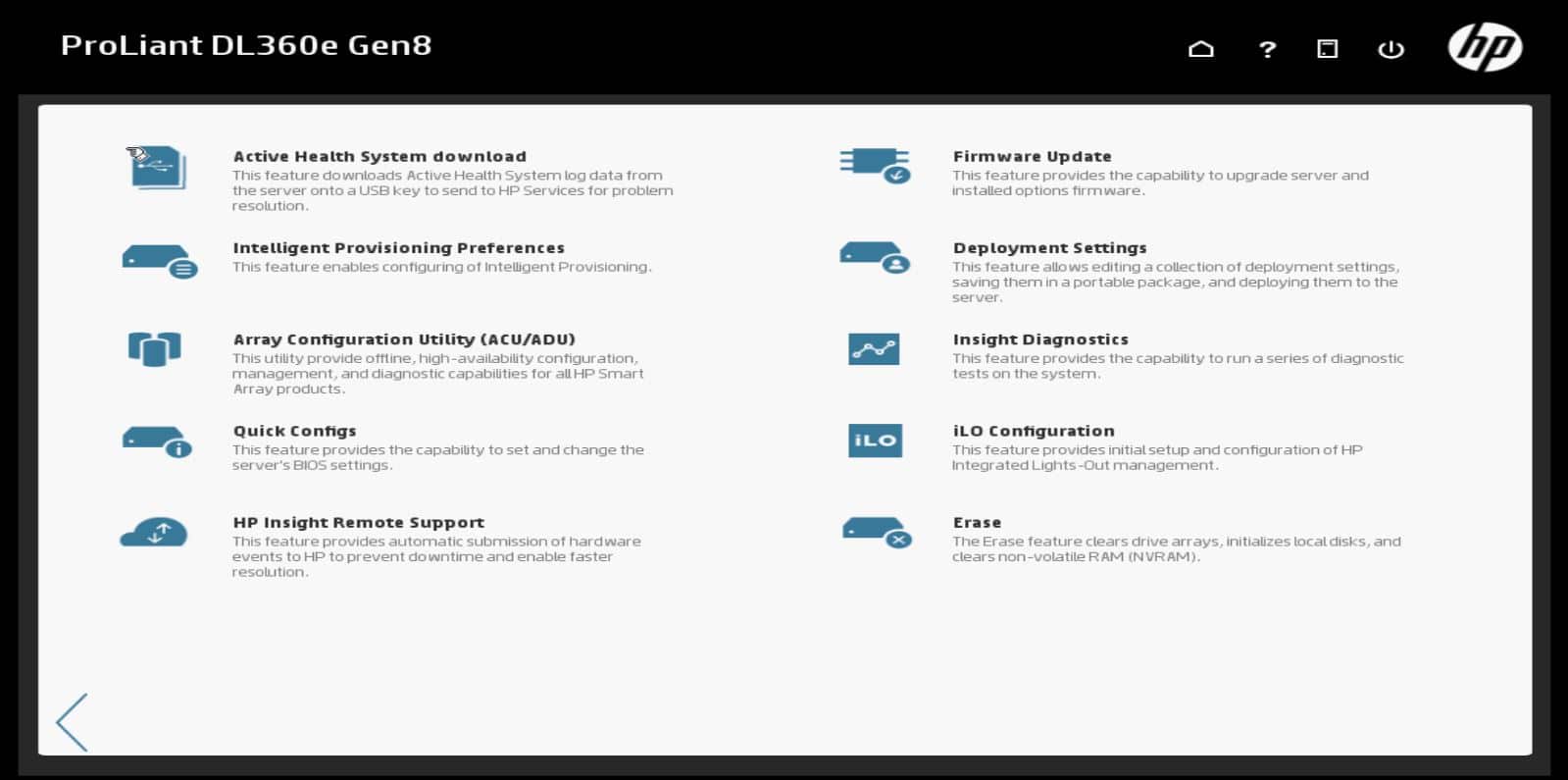
So, I finally got to set up my first Gen8 server. It is a ProLiant DL360e Gen8. Two actually. At first, I was very happy with all the new advancements. No more searching for a SmartStart CD you say! Brilliant! No more confusion on SmartStart version compatibility? Wicked! (Yes, there is a VERY fine line of SmartStart CD’s that will support both a ProLiant DL360 G4p and putting Server 2008 R2 on it – I like to live dangerously!). So, as many of you already know Intelligent Provisioning replaced SmartStart CDs. The cool part is, you just boot right into it. Its an option – F10 at POST. Neat huh? And it looks so sharp too. (Check the image below)

HP Intelligent Provising Maintenance Tasks

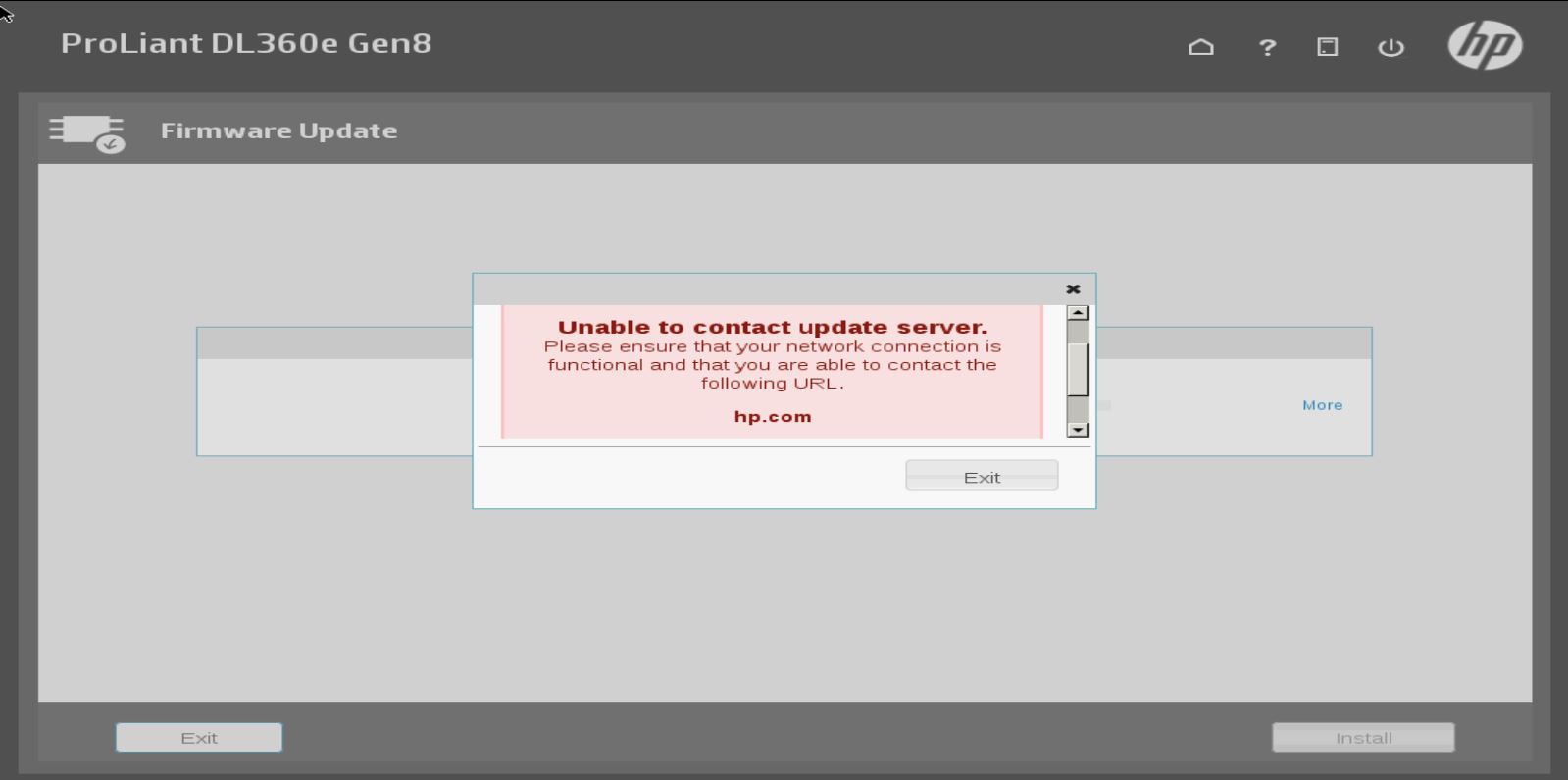
They have this neat feature called Firmware Update that will directly connect to HP.com (or a local update server) and get all your firmware updates for you. Very neat. Especially useful if we are using an OS like VMware ESXi. So I configured the network settings on both my servers and got the error in the screenshot below.

HP Intellgient Provisioning Firmware Update Fail

I checked my settings a dozen times on both servers, tried different IPs, different NIC ports on the server and sadly no luck. It just wouldn’t connect. I called HP and the first tech has me update from v1.30 to v1.40.88. Sadly this did not help. I called back (different tech this time) and they told me this is a known issue with certain servers running certain system firmware versions and that they are working on it.

Insert sad face. 🙁

This seems like a really cool feature. I just wish I could test it. Until then, I will be going back to downloading the bootable Service Pack for ProLiant DVD.

Print Friendly, PDF & Email

Filed Under: HP, Other Tech

Removable Disks in Backup Exec 2012/2014 go into Read-Only Mode

May 29, 2013 By Gareth Gudger 1 Comment

Share
Tweet
Share

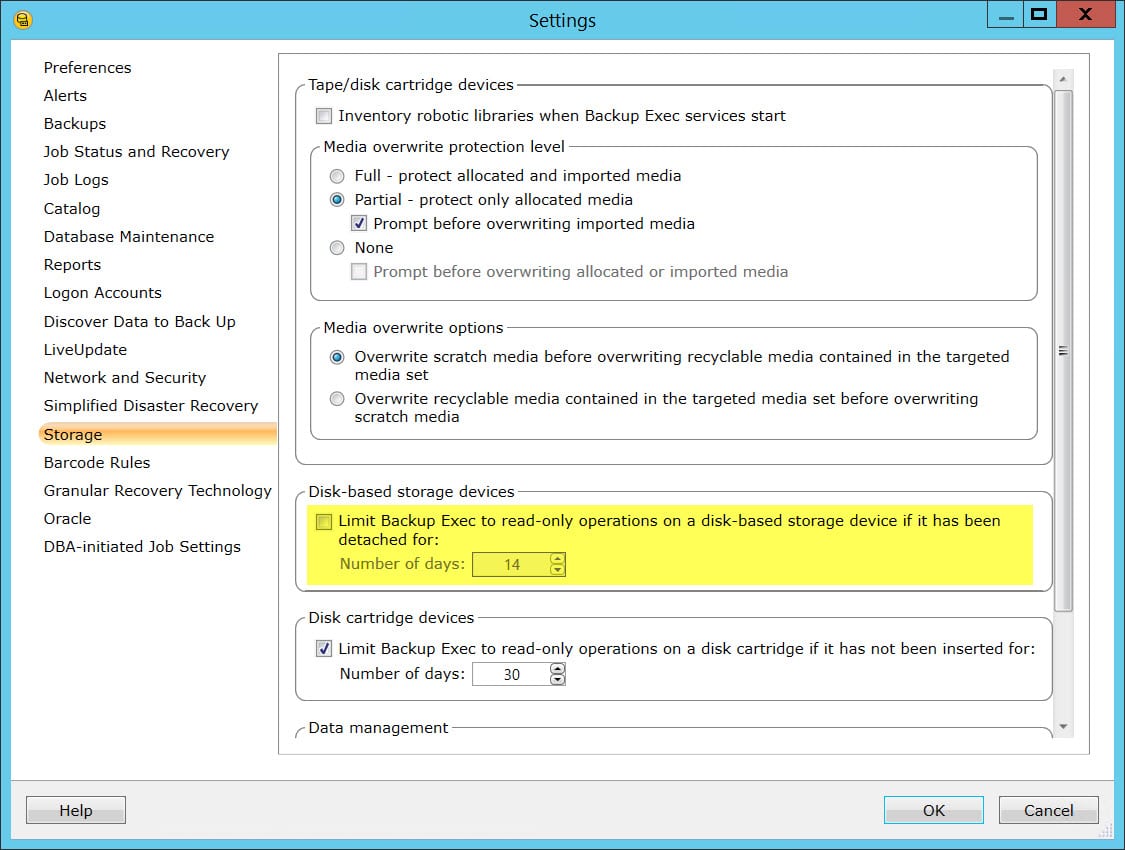
UPDATED: This same option also exists in Backup Exec 2014. These instructions are also the same for 2014. However, in 2014 there is also a checkbox where you can disable this feature. Click here for a screenshot.

I ran across this issue recently when troubleshooting why four removable backup drives in a drive pool kept going into read-only mode at seemingly random intervals. Initially, I would go into the drive properties, switch the drive to allow write operations, only for it go back to read-only just a few weeks later.

My client was using 4 removable USB drives in rotation. These drives were all in one drive pool in Backup Exec. They would swap the drives out weekly, so each drive would be offline for as much as 3 weeks.

What I found, which appears to be new to Backup Exec 2012, is a setting that automatically switches any removable disk to read-only mode after a set number of days. The default is 14 days. I’ve since increased this number past 3 weeks and had no problems.

[Read more…] about Removable Disks in Backup Exec 2012/2014 go into Read-Only Mode
Print Friendly, PDF & Email

Filed Under: Other Tech, Symantec

  • « Go to Previous Page
  • Page 1
  • Interim pages omitted …
  • Page 46
  • Page 47
  • Page 48
  • Page 49
  • Page 50
  • Page 51
  • Go to Next Page »

Primary Sidebar

Want to stay up to date?

Sidebar Form

Join thousands of IT professionals and get the latest Exchange & Office 365 tips and tutorials direct to your inbox

DigiCert Banner 300x348

(help support us using our affiliate link)

Footer

Site Navigation

  • Subscribe to blog
  • About SuperTekBoy
  • Disclaimer
  • Privacy & Cookies
  • Contact Us

Want to stay up to date?

Footer Form

Join thousands of IT professionals and get the latest Exchange & Office 365 tips and tutorials direct to your inbox

Join the conversation

  • Twitter
  • LinkedIn
  • Facebook
  • RSS

Copyright © 2026 · SuperTekBoy LLC