• Skip to primary navigation
  • Skip to main content
  • Skip to primary sidebar
  • Skip to footer

SuperTekBoy

Practical Help for Exchange & Office 365

  • Exchange
    • News
    • Tutorials
    • Solve a Problem
  • Office 365
    • News
    • Tutorials
    • Solve a Problem
  • Outlook
    • Tutorials
    • Solve a Problem
  • Books
  • Podcasts
  • Quick Links…
    • Generate or Renew SSL Certs for Exchange
    • Connect PowerShell to Exchange Online
    • Connect PowerShell to Office 365
    • Extend Schema for Exchange
    • Exchange Schema & Build Numbers
  • More…
    • Kemp Load Balancers
    • Other tech…
    • Videos
    • About SuperTekBoy
    • Contact Us

Exchange News

RunAs Radio #684 – Exchange in 2020 with Gareth Gudger

April 15, 2020 By Gareth Gudger Leave a Comment

Share
Tweet
Share

On February 29th I had the great pleasure of being a guest on the RunAs Radio podcast. I joined host Richard Campbell to discuss all the new security requirements coming to Exchange Online, specifically around the new modern authentication requirement and the deprecation of TLS 1.0 and 1.1.

Gareth on Runas Radio #684 - Exchange in 2020 with Gareth Gudger
[Read more…] about RunAs Radio #684 – Exchange in 2020 with Gareth Gudger

Filed Under: Exchange News, Office 365 News, Podcasts

Exchange March 2020 Updates

March 18, 2020 By Gareth Gudger 3 Comments

Share
Tweet
Share
Exchange 2016 Cumulative Update 15

This week was a big week for Exchange. Microsoft released its fifth cumulative update for Exchange 2019 as well as a cumulative update for Exchange 2016. At the time of writing, there is no cumulative update for Exchange 2013.

As always, test these updates in a lab first! I recommend checking out this 7-part guide on configuring Exchange in your lab. It doesn’t take much to get one going.

The updates are as follows:

Exchange Logo Mini

Exchange 2019 Cumulative Update 5 (VLSC)| KB4537677

Exchange 2013 Cumulative Update 9

Exchange 2016 Cumulative Update 16 | KB4537678 | UM Language Pack

So, what’s new in these Cumulative Updates?

In this series of cumulative updates, Microsoft has resolved a number of security and non-security issues. You can read more about those in KBs 4537677 and 4537678.

This series of cumulative updates shipped with a new version of the calculator for Exchange 2019. This new calculator corrects an issue where developing a design around mailbox size or IOPs was not producing the correct number of mailboxes per database.

Cumulative Update 5 also corrects an issue in the Manage-MetaCacheDatabase.ps1 script that ships with Exchange 2019. The script has been corrected to only return solid-state disks that are initialized. It does this by filtering out all disks with no disk number. This issue was first identified in this article.

These Cumulative Updates also fix an issue with how cookies are handled in Google Chome 80 and later. The SameSite cookie issue was first identified in this post.

[Read more…] about Exchange March 2020 Updates

Filed Under: Exchange News, Office 365 News

Exchange December 2019 Updates

December 22, 2019 By Gareth Gudger 2 Comments

Share
Tweet
Share
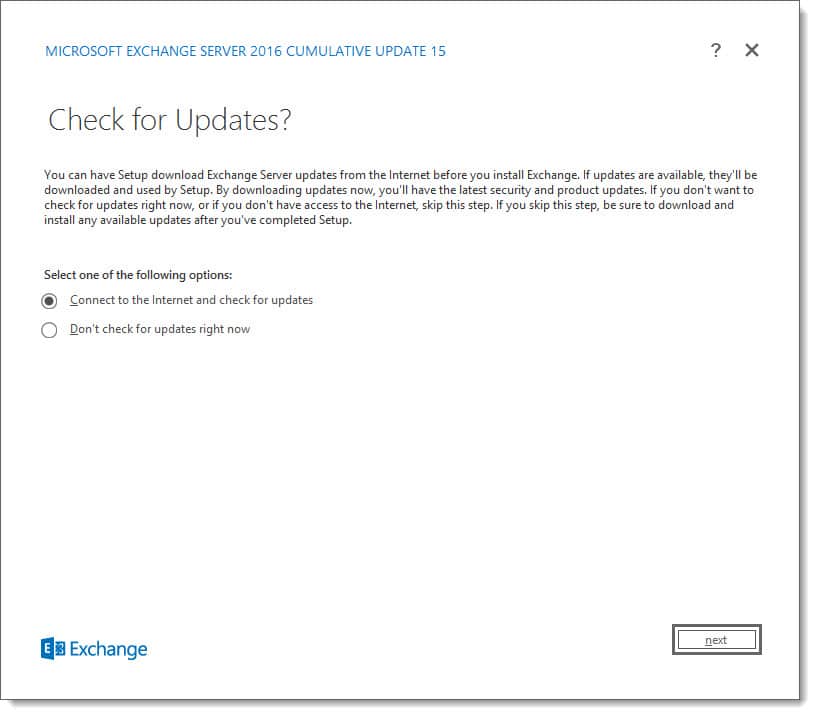
Exchange 2016 Cumulative Update 15

This week was a big week for Exchange. Microsoft released its fourth cumulative update for Exchange 2019 as well as a cumulative update for Exchange 2016. At the time of writing, there is no cumulative update for Exchange 2013.

As always, test these updates in a lab first! I recommend checking out this 7-part guide on configuring Exchange in your lab. It doesn’t take much to get one going.

The updates are as follows:

Exchange Logo Mini

Exchange 2019 Cumulative Update 4 (VLSC)| KB4522149

Exchange 2013 Cumulative Update 9

Exchange 2016 Cumulative Update 15 | KB4522150 | UM Language Pack

Exchange 2010 support extended

Back in September, the Exchange Team announced that is was extending support for Exchange 2010 by nine months. Exchange 2010 now shares the same end-of-life date as Office 2010 and SharePoint 2010, which is October 13th, 2020.

While this extension allows for a little more breathing room, it does not extend support for Windows Server 2008 R2, which is the underlying operating system for many Exchange 2010 installations. Server 2008 R2 will still go end of life on January 14th, 2020.

The Exchange Team has provided this extension to allow companies more time to migrate to a newer email platform, such as Office 365, or, Exchange 2016.

Unfortunately, there is no direct path to Exchange 2019 from 2010. If you do plan to stay on-prem, you will need to migrate to either 2013 or 2016 (I’d recommend 2016 as 2013 is now in extended support). From there you can migrate to 2019.

For more information on migrating from Exchange 2010 to 2016, check out this recent blog article from the Exchange Team: Exchange On-Premises Best Practices for Migrations from 2010 to 2016

So, what’s new in these Cumulative Updates?

In this series of cumulative updates, Microsoft has resolved a number of security and non-security issues. You can read more about those in KBs 4522149 and 4522150.

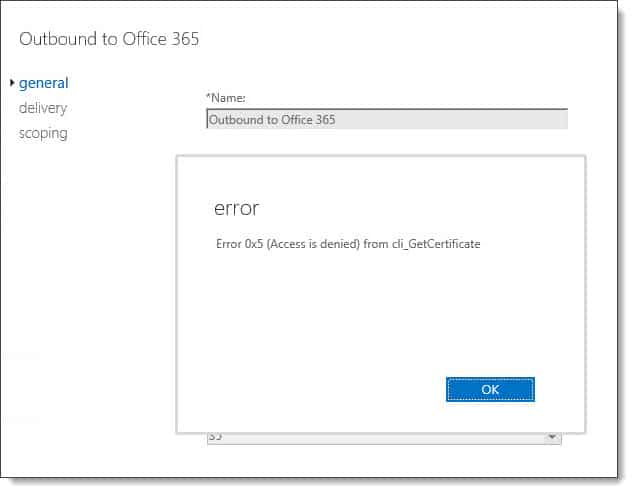
Most notably this fixes an issue I had run into myself in both Exchange 2016 CU13 and CU14. The issue was after running the Hybrid Configuration Wizard you could no longer modify the Outbound to Office 365 send connector if your source servers were Edge Transport servers.

Attempting any modifications to the send connector would result in the errors: Error 0x5 (Access is denied) from cli_GetCertificate or Error 0x6ba (The RPC server is unavailable) from cli_GetCertificate. This error was caused because the Exchange organization was attempting to access the certificates on the Edge Transport servers. I can confirm CU15 resolved this error for me.

Error 0x5 Access is denied from cli_GetCertificate Exchange 2016 Edge Transport

Note: Error 0x5 (Access is denied) from cli_GetCertificate was also reported in Exchange 2019 CU2 and CU3. It has been resolved in CU4.

[Read more…] about Exchange December 2019 Updates

Filed Under: Exchange News, Office 365 News

Exchange September 2019 Updates

September 22, 2019 By Gareth Gudger Leave a Comment

Share
Tweet
Share
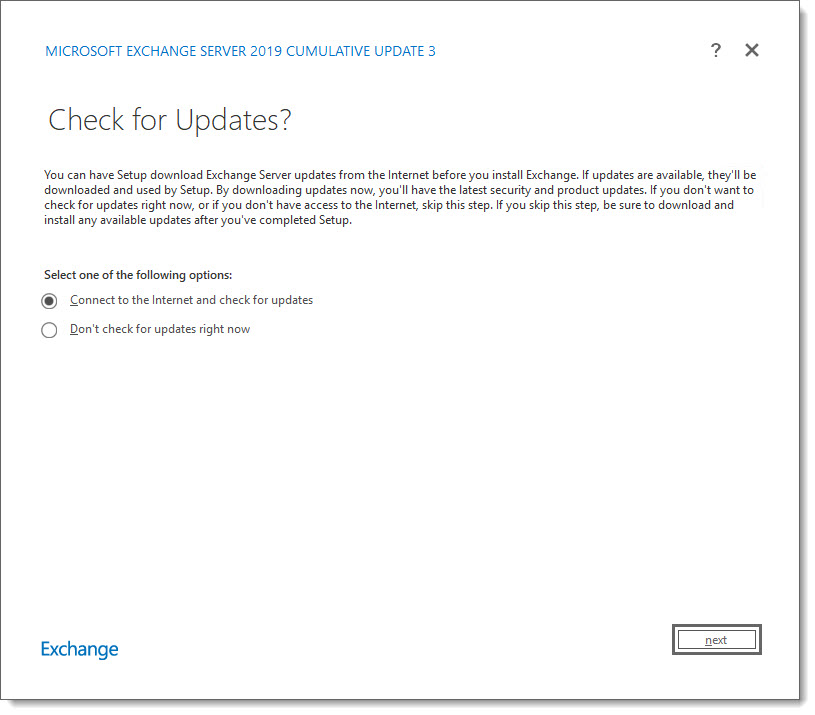
Exchange 2019 Cumulative Update 3

This week was a big week for Exchange. Microsoft released its third cumulative update for Exchange 2019 as well as a cumulative update for Exchange 2016. At the time of writing, there is no cumulative update for Exchange 2013.

As always, test these updates in a lab first! I recommend checking out this 7-part guide on configuring Exchange in your lab. It doesn’t take much to get one going.

The updates are as follows:

Exchange Logo Mini

Exchange 2019 Cumulative Update 3 (VLSC)| KB4514141

Exchange 2013 Cumulative Update 9

Exchange 2016 Cumulative Update 14 | KB4514140 | UM Language Pack

Exchange 2010 Mini

Exchange 2010 SP3 Rollup 29 | KB4509410 (Released in July)

Exchange 2010 support extended

In a recent blog post, the Exchange Team announced that is was extending support for Exchange 2010 by nine months. Exchange 2010 now shares the same end-of-life date as Office 2010 and SharePoint 2010, which is October 13th, 2020.

While this extension allows for a little more breathing room, it does not extend support for Windows Server 2008 R2, which is the underlying operating system for many Exchange 2010 installations. Server 2008 R2 will still go end of life on January 14th, 2020.

The Exchange Team has provided this extension to allow companies more time to migrate to a newer email platform, such as Office 365, or, Exchange 2016.

Unfortunately, there is no direct path to Exchange 2019 from 2010. If you do plan to stay on-prem, you will need to migrate to either 2013 or 2016 (I’d recommend 2016 as 2013 is now in extended support). From there you can migrate to 2019.

For more information on migrating from Exchange 2010 to 2016, check out this recent blog article from the Exchange Team: Exchange On-Premises Best Practices for Migrations from 2010 to 2016

So, what’s new in these Cumulative Updates?

In this series of cumulative updates, Microsoft has resolved a number of security and non-security issues. You can read more about those in KBs 4514141 and 4514140. In addition, this set of cumulative updates addresses changes to daylight savings.

[Read more…] about Exchange September 2019 Updates

Filed Under: Exchange News, Office 365 News

Exchange June 2019 Updates

June 20, 2019 By Gareth Gudger Leave a Comment

Share
Tweet
Share
Exchange 2019 Cumulative Update 1

This week was a big week for Exchange. Microsoft released its second cumulative update for Exchange 2019 as well as cumulative updates for Exchange 2016 and 2013.

As always, test these updates in a lab first! I recommend checking out this 7-part guide on configuring Exchange in your lab. It doesn’t take much to get one going.

The updates are as follows:

Exchange 2013 Cumulative Update 9

Exchange 2019 Cumulative Update 2 (VLSC)| KB4488401

Exchange 2016 Mini

Exchange 2016 Cumulative Update 13 | KB4488406 | UM Language Pack

Exchange 2013 Cumulative Update 9

Exchange 2013 Cumulative Update 23 | KB4489622 | UM Language Pack

Exchange 2010 Mini

Exchange 2010 SP3 Rollup 27 | KB4491413

The final countdown – 208 days left for Exchange 2010

Here is a quick reminder that extended support for Exchange 2010 is coming to an end. After January 14th, 2020, no further technical support or updates will be available. This includes security, bug and time zone updates.

Unfortunately, there is no direct path to Exchange 2019 from 2010. If you do plan to stay on-prem you will need to migrate to either 2013 or 2016 (I’d recommend 2016 as 2013 is now in extended support). From there you can migrate to 2019. Alternatively, you can migrate to Office 365.

For more information about the Exchange 2010 life-cycle check out the Exchange Team blog.

So, what’s new in these Cumulative Updates?

In the last set of cumulative updates, Microsoft reduced the number of permissions Exchange had in Active Directory. In an ongoing effort to further tighten the security posture of Exchange, Microsoft has further reduced Exchange’s permissions in Active Directory.

This includes two notable changes. The first is that Exchange can no longer assign service principal names (SPN). Second, a deny attribute has been added to the DNS Admins group. The Exchange Team determined neither of these rights was necessary for the operation of Exchange.

In the previous Exchange 2019 cumulative update, you could disable legacy protocols on a per-user basis. In cumulative update 2, you can now globally disable legacy authentication at the organization level.

This series of updates also introduces support for .NET Framework 4.8. While optional now, 4.8 will be mandatory as part of the December 2019 updates.

[Read more…] about Exchange June 2019 Updates

Filed Under: Exchange News, Office 365 News

Exchange February 2019 Updates

February 23, 2019 By Gareth Gudger 5 Comments

Share
Tweet
Share
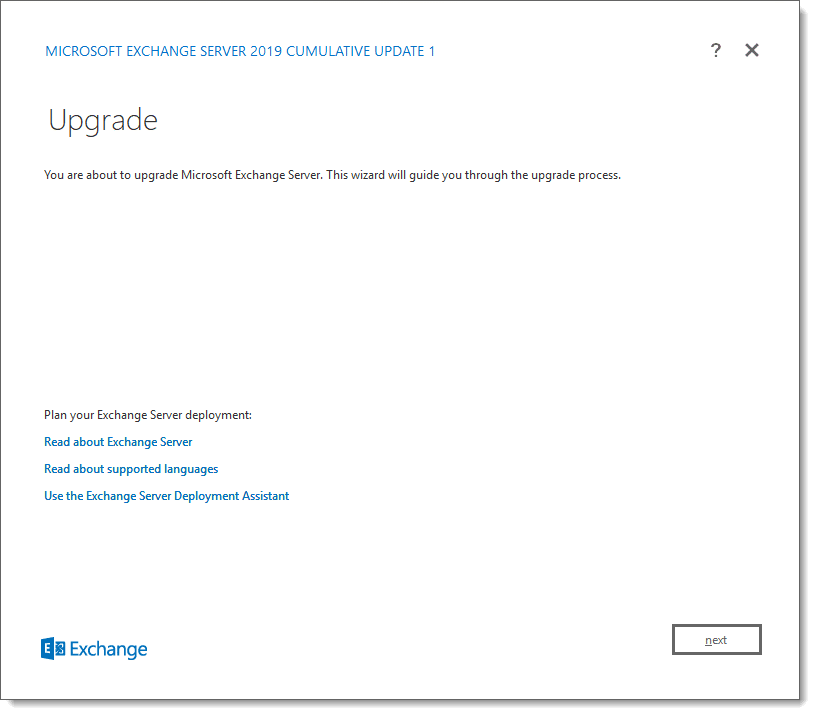
Exchange 2019 CU1

Last week was a big week for Exchange. Microsoft released its first cumulative update for Exchange 2019 as well as cumulative updates for Exchange 2016 and 2013.

As always, test these updates in a lab first! I recommend checking out this 7-part guide on configuring Exchange in your lab. It doesn’t take much to get one going.

The updates are as follows:

Exchange 2013 Cumulative Update 9

Exchange 2019 Cumulative Update 1 (VLSC)| KB4471391

Exchange 2016 Mini

Exchange 2016 Cumulative Update 12 | KB4471392 | UM Language Pack

Exchange 2013 Cumulative Update 9

Exchange 2013 Cumulative Update 22 | KB4345836 | UM Language Pack

Exchange 2010 Mini

Exchange 2010 SP3 Rollup 26 | KB4487052 (released February)

Exchange 2010 Mini

Exchange 2010 SP3 Rollup 25 | KB4468742 (released January)

Only 325 days left for Exchange 2010

Here is a quick reminder that extended support for Exchange 2010 is coming to an end. After January 14th, 2020, no further technical support or updates will be available. This includes security, bug, and time zone updates.

Unfortunately, there is no direct path to Exchange 2019 from 2010. If you do plan to stay on-prem you will need to migrate to either 2013 or 2016 (I’d recommend 2016 as 2013 is now in extended support). From there you can migrate to 2019. Alternatively, you can migrate to Office 365.

For more information about the Exchange 2010 life-cycle check out the Exchange Team blog.

So, what’s new in these Cumulative Updates?

Push notifications are one type of notification a developer can leverage in their application to add value. An example of a push notification might be the notification of new mail on a mobile device.

In this series of cumulative updates, the Exchange Team has changed the way it initiates push notifications through Exchange Web Services. This is in direct response to a security flaw where an attacker could intercept push notifications to gain access to credentials streamed via NTLM. These cumulative updates mitigate this attack by removing these credentials from the stream. Microsoft documents this resolution in KB4490060.

After applying this cumulative update, Microsoft recommends forcing the computer account to change its password by using either the Reset-ComputerMachinePassword cmdlet or, NETDOM. In addition, Microsoft recommends every organization review its user password expiration policies.

In further response to the security flaw, Microsoft is reducing the number of rights Exchange has in Active Directory when operating in a shared permission model.

In a shared permission model, Exchange administrators have the ability to create security principals in Active Directory and mail-enable those security principals. This includes the ability to create a new user as you are creating a mailbox, or, the ability to remove a user when you remove a mailbox. This also extends to tasks such as being able to create a distribution group, or, modify distribution group members.

In a split permission model, the Exchange administrator is restricted from these tasks and can only mail-enable, or, mail-disable existing objects (e.g. users, groups, or contacts) that were created by an administrator with Active Directory rights.

Going forward the shared permission model will have fewer Active Directory rights, but that does not mean reduced functionality for Exchange administrators.

[Read more…] about Exchange February 2019 Updates

Filed Under: Exchange News, Office 365 News

  • « Go to Previous Page
  • Page 1
  • Page 2
  • Page 3
  • Page 4
  • Page 5
  • Page 6
  • Interim pages omitted …
  • Page 11
  • Go to Next Page »

Primary Sidebar

Want to stay up to date?

Sidebar Form

Join thousands of IT professionals and get the latest Exchange & Office 365 tips and tutorials direct to your inbox

DigiCert Banner 300x348

(help support us using our affiliate link)

Footer

Site Navigation

  • Subscribe to blog
  • About SuperTekBoy
  • Disclaimer
  • Privacy & Cookies
  • Contact Us

Want to stay up to date?

Footer Form

Join thousands of IT professionals and get the latest Exchange & Office 365 tips and tutorials direct to your inbox

Join the conversation

  • Twitter
  • LinkedIn
  • Facebook
  • RSS

Copyright © 2026 · SuperTekBoy LLC