• Skip to primary navigation
  • Skip to main content
  • Skip to primary sidebar
  • Skip to footer

SuperTekBoy

Practical Help for Exchange & Office 365

  • Exchange
    • News
    • Tutorials
    • Solve a Problem
  • Office 365
    • News
    • Tutorials
    • Solve a Problem
  • Outlook
    • Tutorials
    • Solve a Problem
  • Books
  • Podcasts
  • Quick Links…
    • Generate or Renew SSL Certs for Exchange
    • Connect PowerShell to Exchange Online
    • Connect PowerShell to Office 365
    • Extend Schema for Exchange
    • Exchange Schema & Build Numbers
  • More…
    • Kemp Load Balancers
    • Other tech…
    • Videos
    • About SuperTekBoy
    • Contact Us

Exchange

Microsoft Ignite : Did your 2016 just get busier?

May 5, 2015 By Gareth Gudger Leave a Comment

Share
Tweet
Share

If you weren’t aware Microsoft is hosting its Ignite conference this week in Chicago (May 4th-8th).

Microsoft Ignite is the convergence of several Microsoft conferences into one mammoth event. And, it makes sense. With so much cross-product integration there was a growing amount of duplicate content. To quote the Microsoft Blog;

It will bring together the best of previously individual events – the Management Summit, the Exchange, SharePoint, Lync, Project, and TechEd conferences – and then take it to the next levelThe Official Microsoft Blog

So how popular is Ignite? Joe Belfiore (@joebelfiore) revealed during the Cortana Power BI demo that over 23,000 people were in attendance. Unfortunately, I couldn’t make this conference. But luckily Microsoft has not forgotten us. You can watch the on-demand recording of the keynote here. Furthermore, Channel 9 is live-streaming several of the sessions at http://channel9.msdn.com/. Their featured session guide is on the front page.

UPDATE: Channel 9 has all the Ignite recordings available here. There are 688 recorded sessions!!

Your 2016 may have just gotten a little busier

If you saw the keynote then you know there was a slew of product announcements made. Microsoft CEO, Satya Nadella (@satyanadella), announced several new product releases. Many of which are already available for preview, or, will be second-half 2015.

Products included:

  • Windows Server 10
  • Exchange 2016
  • System Center 2016
  • SQL Server 2016
  • Windows 10
  • Office 2016

Also highlighted were:

  • Azure for your Datacenter
  • Skype for Business Broadcast
  • Windows Update for Business
  • Cortana improvements
  • Continuum for Windows Phone
  • Hello feature
  • Skype for HoloLens
  • Microsoft Advanced Threat Analytics
  • Operations Management Suite
  • Device Guard
  • Azure Rights Management and Data Loss Prevention

One message from Satya’s presentation was very clear.

[Read more…] about Microsoft Ignite : Did your 2016 just get busier?
Filed Under: Exchange News, Office 365 News, Other Tech

Exchange March 2015 Updates

March 28, 2015 By Gareth Gudger Leave a Comment

Share
Tweet
Share
Exchange 2013 Big Logo

The Exchange Team announced Cumulative Update 8 earlier this month.

As always, test these updates in a lab first!

It doesn’t have to be anything elaborate. In fact, I used to do a lot of testing from a Windows 8.1 laptop where I had Hyper-V installed. My laptop ran 3 VMs–Exchange 2010, 2013 and a DC. Hyper-V comes included with Windows 8. It’s comparable to VMware Workstation in functionality.

Enough about labs! What are these updates and where can I get them?

The updates are as follows:

Exchange 2013 Mini

Exchange Server 2013 Cumulative Update 8

Exchange 2013 Mini

UM Language Packs for Cumulative Update 8

Exchange 2010 Mini

Exchange Server 2010 SP3 Update Rollup 9

Exchange 2007 Mini

Exchange Server 2007 SP3 Update Rollup 16

So what’s new?

This update is a culmination of bug fixes and feature tweaks. This update also includes Daylight Saving Time changes. Microsoft reports there are no security patches included in this update.

[Read more…] about Exchange March 2015 Updates

Filed Under: Exchange News

Free Layer-7 Load Balancer from Kemp Technologies

March 9, 2015 By Gareth Gudger 3 Comments

Share
Tweet
Share

The Kemp Load Balancers are a fantastic series of products.

Just this month, Kemp announced that it is offering a free virtual load balancer.

Always free

This is a perpetually free license!

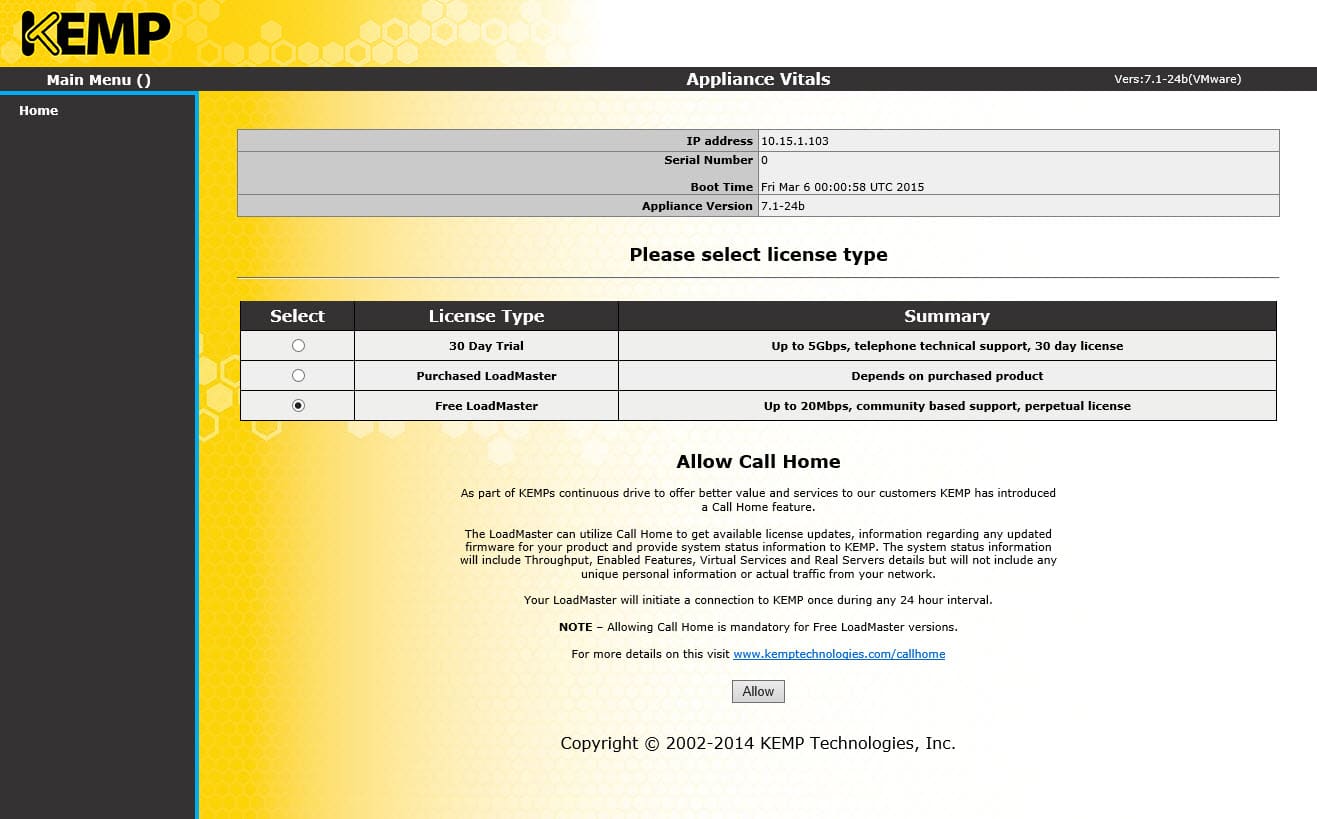
This is not a watered-down version of the paid product. Nor is it a watered-down version of the hardware appliance. This is a fully-featured Layer-7 load balancer. The main drawback – it is throttled to 20Mbps throughput.

Free Kemp Layer-7 Virtual Load Balancer

While this may seem restrictive, this is more than enough for any lab, proof of concept, or, for small production environment.

Why is Kemp doing this? Here is a quote from their website.

“The availability of a proven free load balancer from a well-established company will enable many start-ups and QA/Dev teams to focus on the task at hand. They will no longer have to worry about addressing the trade-off between cost, quality and upgradeability associated with some open source and application-embedded load balancing solutions.”

On Twitter, @KempTech stated, “We did it for our fans.”

[Read more…] about Free Layer-7 Load Balancer from Kemp Technologies
Share
Tweet
Share

Filed Under: Exchange News, Kemp Load Balancers, Other Tech

2013 CU Fails: RSAT-Clustering-CmdInterface isn’t installed

March 9, 2015 By Gareth Gudger Leave a Comment

Share
Tweet
Share

Ever run into this error? You may see it when performing a cumulative update. I ran across it when upgrading Exchange 2013 to CU7.

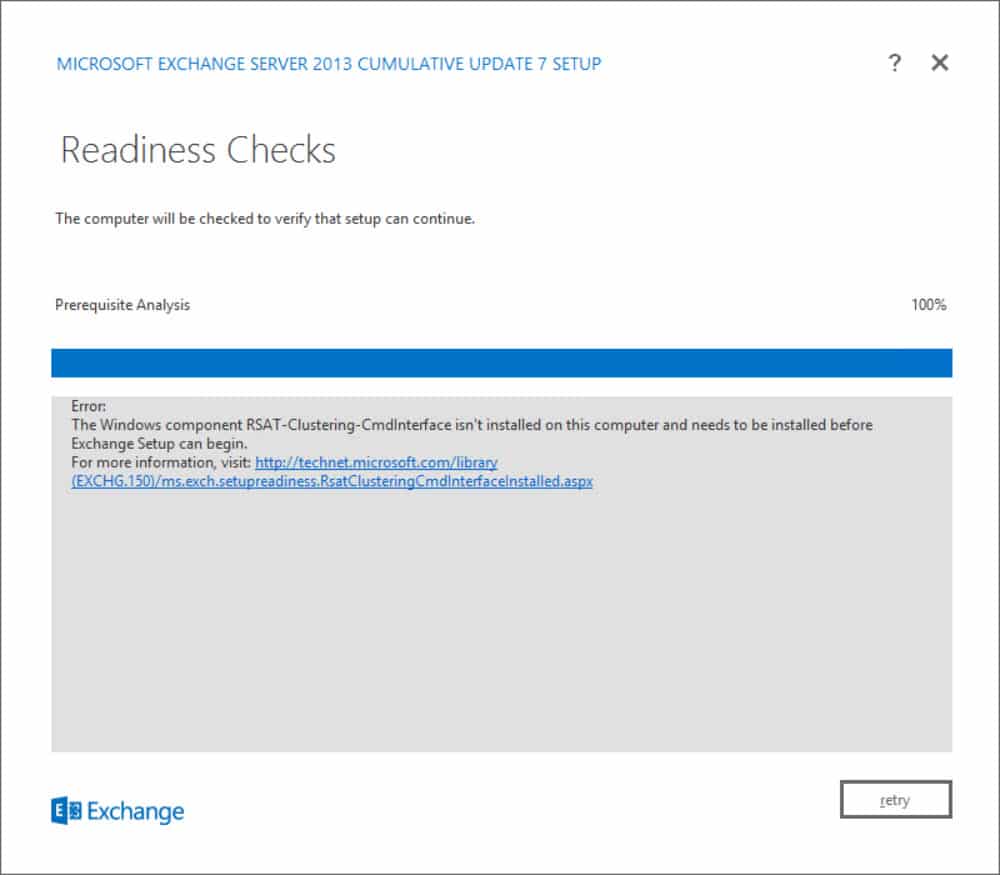
RSAT-Clustering-CmdInterface isn't installed

Error: The Windows component RSAT-Clustering-CmdInterface isn’t installed on this computer and needs to be installed before Exchange Setup can begin.

There are a couple of ways to resolve this error; PowerShell or GUI. Let’s explore both.

[Read more…] about 2013 CU Fails: RSAT-Clustering-CmdInterface isn’t installed

Filed Under: Exchange Solutions

Unleashing the power of the AdminAuditLog

February 18, 2015 By Gareth Gudger 1 Comment

Share
Tweet
Share

Ever wonder, Who made that modification to my Exchange environment?

I have.

So how do we answer that question?

Behold! The great and powerful Admin Audit Log!

The Admin Audit Log was introduced in Exchange 2010. But, it still seems a best-kept secret. There are a couple of ways to get to it.

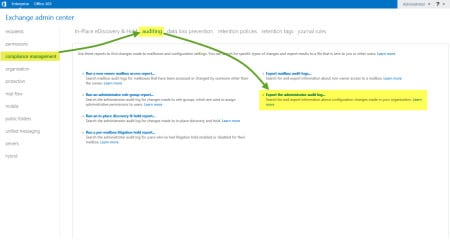
First, you can go through the EAC >> Compliance >> Auditing tabs. Then select Export Administrator Audit Log.

EAC Admin Audit Log

The second is via the Exchange Management Shell (EMS) through the Search-AdminAuditLog cmdlet. Let’s explore this method a little more.

[Read more…] about Unleashing the power of the AdminAuditLog

Filed Under: Exchange, Exchange Tutorials, Office 365

Windows Process Activation Service – Error 13: The data is invalid

February 16, 2015 By Gareth Gudger 29 Comments

Share
Tweet
Share

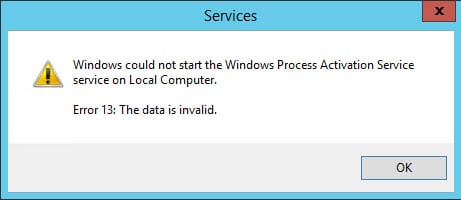
I ran into a strange error recently on an Exchange 2013 server. The WWW Publishing Service was stopped. When I tried to start the service it failed on a dependency. A quick check revealed the Windows Process Activation Service (WAS) was stopped. When I tried to start WAS, I received the following error.

Windows could not start the Windows Process Activation Service service on Local Computer Error 13 The data is invalid

Windows could not start the Windows Process Activation Service service on Local Computer. Error 13: The data is invalid.

The Event Viewer was littered with equally cryptic Event IDs, such as WAS 5005 and WAS 5036.

Not the first time

I’ve actually encountered an error like this before. I am not sure what causes it. But evidently, something in Internet Information Services (IIS) becomes corrupt. Thankfully this blog from GrinGod jogged my memory. It all came flooding back.

[Read more…] about Windows Process Activation Service – Error 13: The data is invalid

Filed Under: Exchange Solutions, Other Tech, Windows

  • « Go to Previous Page
  • Page 1
  • Interim pages omitted …
  • Page 23
  • Page 24
  • Page 25
  • Page 26
  • Page 27
  • Interim pages omitted …
  • Page 31
  • Go to Next Page »

Primary Sidebar

Want to stay up to date?

Sidebar Form

Join thousands of IT professionals and get the latest Exchange & Office 365 tips and tutorials direct to your inbox

DigiCert Banner 300x348

(help support us using our affiliate link)

Footer

Site Navigation

  • Subscribe to blog
  • About SuperTekBoy
  • Disclaimer
  • Privacy & Cookies
  • Contact Us

Want to stay up to date?

Footer Form

Join thousands of IT professionals and get the latest Exchange & Office 365 tips and tutorials direct to your inbox

Join the conversation

  • Twitter
  • LinkedIn
  • Facebook
  • RSS

Copyright © 2026 · SuperTekBoy LLC