• Skip to primary navigation
  • Skip to main content
  • Skip to primary sidebar
  • Skip to footer

SuperTekBoy

Practical Help for Exchange & Office 365

  • Exchange
    • News
    • Tutorials
    • Solve a Problem
  • Office 365
    • News
    • Tutorials
    • Solve a Problem
  • Outlook
    • Tutorials
    • Solve a Problem
  • Books
  • Podcasts
  • Quick Links…
    • Generate or Renew SSL Certs for Exchange
    • Connect PowerShell to Exchange Online
    • Connect PowerShell to Office 365
    • Extend Schema for Exchange
    • Exchange Schema & Build Numbers
  • More…
    • Kemp Load Balancers
    • Other tech…
    • Videos
    • About SuperTekBoy
    • Contact Us

Other Tech

Show hidden files in Windows 10

December 20, 2015 By Gareth Gudger Leave a Comment

Share
Tweet
Share

To show hidden files in Windows 10 is a relatively straightforward task. The process is the same as Windows 8.

From Windows Explorer click View.
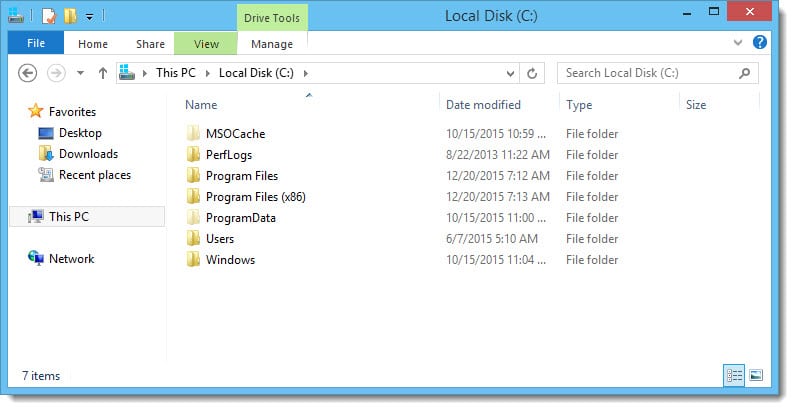
Show hidden files in Windows 10

Select Options >> Change folder and search options.
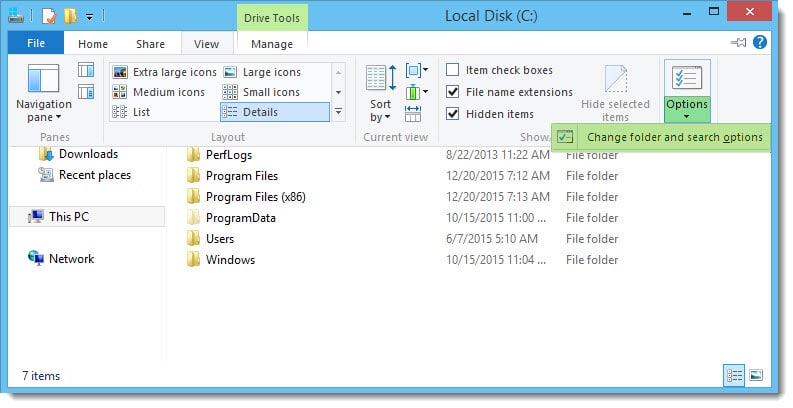
Show hidden files in Windows 10

Click the View tab. Select Show hidden files, folders and drives. Click Ok.
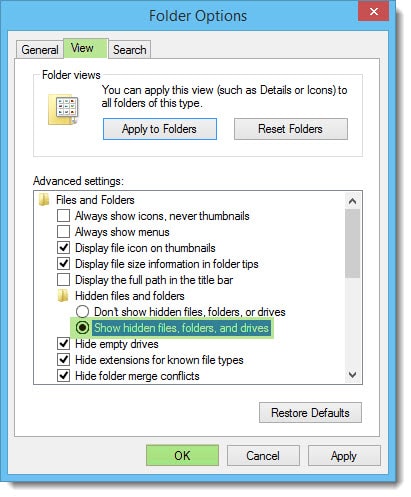
Show hidden files in Windows 10

You are all set!

Twitter

Do you typically show your hidden files? Drop a comment below or join the conversation on Twitter @SuperTekBoy.
Share
Tweet
Share

Filed Under: Other Tech, Windows

Configure Kemp Load Balancer for Exchange 2013, 2016, and 2019

November 17, 2015 By Gareth Gudger 39 Comments

Share
Tweet
Share

With each release of Exchange, we have seen a substantial shift in the way it required load balancers to be configured. For example, between Exchange 2010 and 2013, the requirement for session affinity was dropped. This allowed multiple requests from a single client to take different paths to its mailbox. It no longer mattered which client access servers in a site were involved in the session. This was a contrast to 2010, when a client session had to maintain a single path at all times. Ross Smith covers this in greater detail here.

Exchange 2013 also dropped support for traditional RPC connections. All client connections to Exchange 2013 were flipped to RPC over HTTP. Service Pack 1 saw another shift in client connectivity as it introduced the option of MAPI over HTTP (although disabled by default). This faster, leaner protocol allowed the Exchange Team to develop shorter failover times between servers. It introduced another virtual directory into the mix–the MAPI virtual directory–which would need to be load balanced as well.

Unlike its predecessor, Exchange 2016 did not see a shift in client connectivity. With Exchange 2016, an organization can choose between MAPI over HTTP, or, RPC over HTTP (although the former is now preferred).

Knowing the nuances between each version of Exchange can be daunting. Equally daunting is the configuration of the load balancer itself. But it doesn’t have to be.

A good vendor will give you instructions on load balancing Exchange.
A great vendor will give you a template to automate the setup.

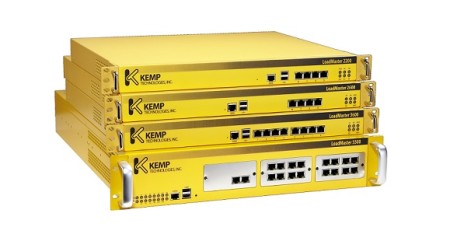
Load Balancer Produkte Familie Kemp Technologies

This is lucky because this article is about a great vendor.

In this article, we configure the Kemp load balancer to provide high availability for Exchange 2016. If you don’t have a load balancer, you can download one for free from Kemp. Kemp’s free appliance is what we will use in this guide.

Don’t worry. Despite the focus being on Kemp, you can translate these principles to any vendor.

Let’s get started!

Disclaimer: I need to point out that I am not sponsored by Kemp in any way. However, this document does contain some affiliate links.

The environment

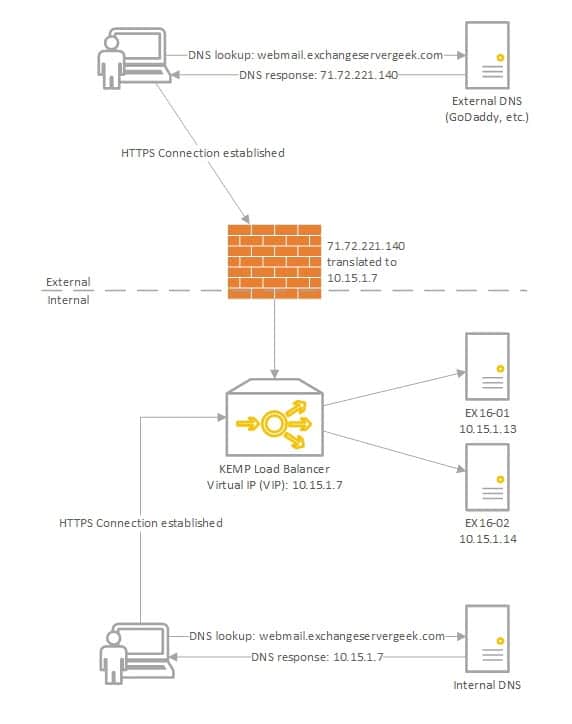
In our example below, we plan to have two Exchange 2016 servers behind a load balancer in a single site; EX16-01 and EX16-02.

Load Balancing Exchange 2016 Kemp VLB
[Read more…] about Configure Kemp Load Balancer for Exchange 2013, 2016, and 2019
Share
Tweet
Share

Filed Under: Exchange Tutorials, Kemp Load Balancers, Other Tech

Skype for Desktop: Can’t change Primary Email

May 14, 2015 By Gareth Gudger 15 Comments

Share
Tweet
Share

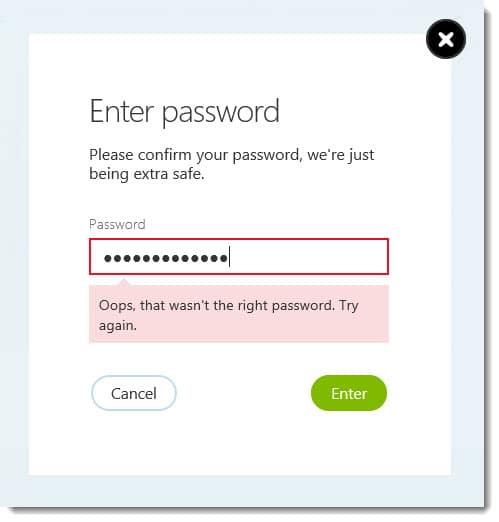
Recently I was trying to change the primary email address on my Skype account. The challenge? When I tried to change the primary email address I kept getting an invalid password prompt.

Changing Primary Email Address Skype Oops that wasn't the right password error

Oops, that wasn’t the right password. Try again.

I spent an hour going round in circles with Skype Live Chat support. Eventually, I was told that because it was linked to my Microsoft account I could not change my primary email address. I was told that the only option was to delete and recreate my Skype account.

The challenge with that option is that I would lose my Skype number (which was also on my business cards). Support informed me that a Skype number could not be transferred between accounts.

I was in a quandary. On the one hand, my old email was going away. If Skype would not let me change my primary email address, then I now had a security problem should anyone else pick up that email address. If I did recreate my account, then I had the challenge of potentially losing my business phone number.

I scoured the Skype community forums. Luckily, I found this great solution from community contributor Sunqan.

[Read more…] about Skype for Desktop: Can’t change Primary Email

Filed Under: Other Tech

Microsoft Ignite : Did your 2016 just get busier?

May 5, 2015 By Gareth Gudger Leave a Comment

Share
Tweet
Share

If you weren’t aware Microsoft is hosting its Ignite conference this week in Chicago (May 4th-8th).

Microsoft Ignite is the convergence of several Microsoft conferences into one mammoth event. And, it makes sense. With so much cross-product integration there was a growing amount of duplicate content. To quote the Microsoft Blog;

It will bring together the best of previously individual events – the Management Summit, the Exchange, SharePoint, Lync, Project, and TechEd conferences – and then take it to the next levelThe Official Microsoft Blog

So how popular is Ignite? Joe Belfiore (@joebelfiore) revealed during the Cortana Power BI demo that over 23,000 people were in attendance. Unfortunately, I couldn’t make this conference. But luckily Microsoft has not forgotten us. You can watch the on-demand recording of the keynote here. Furthermore, Channel 9 is live-streaming several of the sessions at http://channel9.msdn.com/. Their featured session guide is on the front page.

UPDATE: Channel 9 has all the Ignite recordings available here. There are 688 recorded sessions!!

Your 2016 may have just gotten a little busier

If you saw the keynote then you know there was a slew of product announcements made. Microsoft CEO, Satya Nadella (@satyanadella), announced several new product releases. Many of which are already available for preview, or, will be second-half 2015.

Products included:

  • Windows Server 10
  • Exchange 2016
  • System Center 2016
  • SQL Server 2016
  • Windows 10
  • Office 2016

Also highlighted were:

  • Azure for your Datacenter
  • Skype for Business Broadcast
  • Windows Update for Business
  • Cortana improvements
  • Continuum for Windows Phone
  • Hello feature
  • Skype for HoloLens
  • Microsoft Advanced Threat Analytics
  • Operations Management Suite
  • Device Guard
  • Azure Rights Management and Data Loss Prevention

One message from Satya’s presentation was very clear.

[Read more…] about Microsoft Ignite : Did your 2016 just get busier?

Filed Under: Exchange News, Office 365 News, Other Tech

Avoid this pitfall when upgrading to a Solid State Drive

March 31, 2015 By Gareth Gudger 16 Comments

Share
Tweet
Share

I normally don’t write blog posts about hardware. But this particular problem seemed blog-worthy.

The issue was around my wife’s PC. Her PC is almost 5 years old–it still performs incredibly well. That is one of the benefits of building a custom PC.

Tip: When you build a custom PC it’s not about saving money but getting more bang for your buck. If I were to give a PC manufacturer $1000 versus what I could do with $1000 myself the difference would be night and day. You’d think an economy of scale would kick in somewhere, but it doesn’t. If you can build your own, I recommend it.

With her PC still running Windows 7, it was time for an upgrade. I knew I wanted to take her to Windows 8.1. I figured if I was going to do a full reload, why not upgrade to a solid-state drive at the same time. Kill two birds with one stone. So I did.

The Problem

Everything went well enough at first. The BIOS recognized the new drive. I threw in my Windows 8.1 DVD and the OS installed like a charm.

But then I started to encounter peculiar symptoms. The PC would randomly reboot every few hours.

I checked the Event Logs. Sadly, they were devoid of any real clues. Aside from the Unexpected Shutdown messages, there was nothing else that would lead me in the right direction.

I quickly found no dumps were being created either. This was not good.

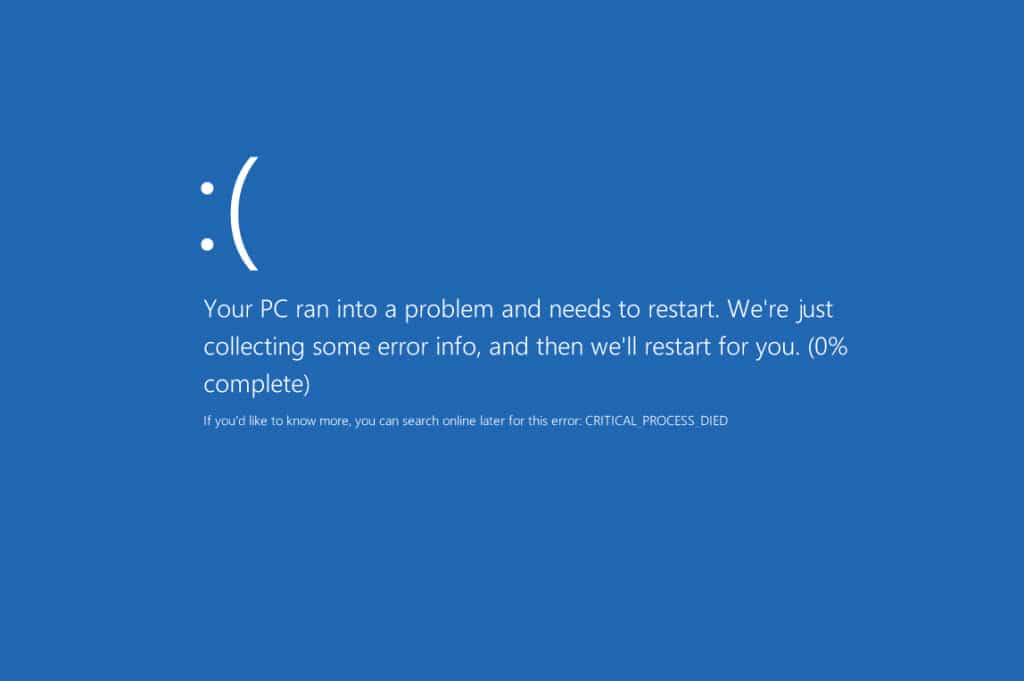
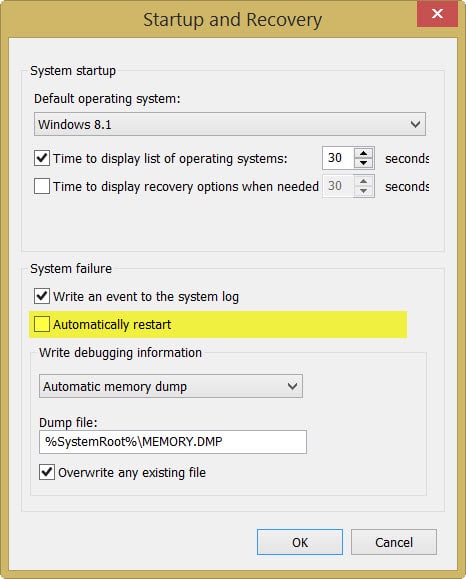
I disabled the automatic restart and received the following error the next time it occurred.

Windows 8 Critical Process Died

CRITICAL_PROCESS_DIED

Based on my research it seemed this error is fairly generic. To make matters worse the blue screen never got past 0%.

[Read more…] about Avoid this pitfall when upgrading to a Solid State Drive

Filed Under: Other Tech, Windows

Symantec Endpoint Protection Pending System Changes Reboot

March 19, 2015 By Gareth Gudger 6 Comments

Share
Tweet
Share

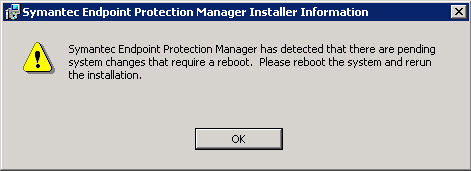
Ever run into this error? You may see it when attempting to install or upgrade the Symantec Endpoint Protection Manager. I ran across it recently when upgrading to SEPM 12.1.5, but I’ve seen it on previous versions as well.

Symantec EndPoint Protection Pending System Changes Reboot

Symantec Endpoint Protection Manager has detected that there are pending system changes that require a reboot. Please reboot the system and rerun the installation.

This may seem like an easy fix. Just reboot the server right? But oddly it never works. Regardless of how many times you reboot this message will always crop up.

When the installer runs it checks for a key in the registry. It’s this key that can cause this error. Thankfully this is an easy fix. For this, we need to modify the registry.

[Read more…] about Symantec Endpoint Protection Pending System Changes Reboot

Filed Under: Other Tech, Symantec

  • « Go to Previous Page
  • Page 1
  • Page 2
  • Page 3
  • Page 4
  • Page 5
  • Interim pages omitted …
  • Page 12
  • Go to Next Page »

Primary Sidebar

Want to stay up to date?

Sidebar Form

Join thousands of IT professionals and get the latest Exchange & Office 365 tips and tutorials direct to your inbox

DigiCert Banner 300x348

(help support us using our affiliate link)

Footer

Site Navigation

  • Subscribe to blog
  • About SuperTekBoy
  • Disclaimer
  • Privacy & Cookies
  • Contact Us

Want to stay up to date?

Footer Form

Join thousands of IT professionals and get the latest Exchange & Office 365 tips and tutorials direct to your inbox

Join the conversation

  • Twitter
  • LinkedIn
  • Facebook
  • RSS

Copyright © 2026 · SuperTekBoy LLC