I was helping a fellow expert on Experts-Exchange recently. They were needing help with a PowerShell script. The task was to allow a user account Full Mailbox Access overall members that belonged to a certain distribution group. After a little reworking of PowerShell, this is what we came up with; and it worked!
[Read more…] about Bulk Add for Full Mailbox AccessOffice 365
Office 365: Set Passwords To Never Expire
If you have ever tried to tweak the password policy in Office365 then you have likely encountered this warning.
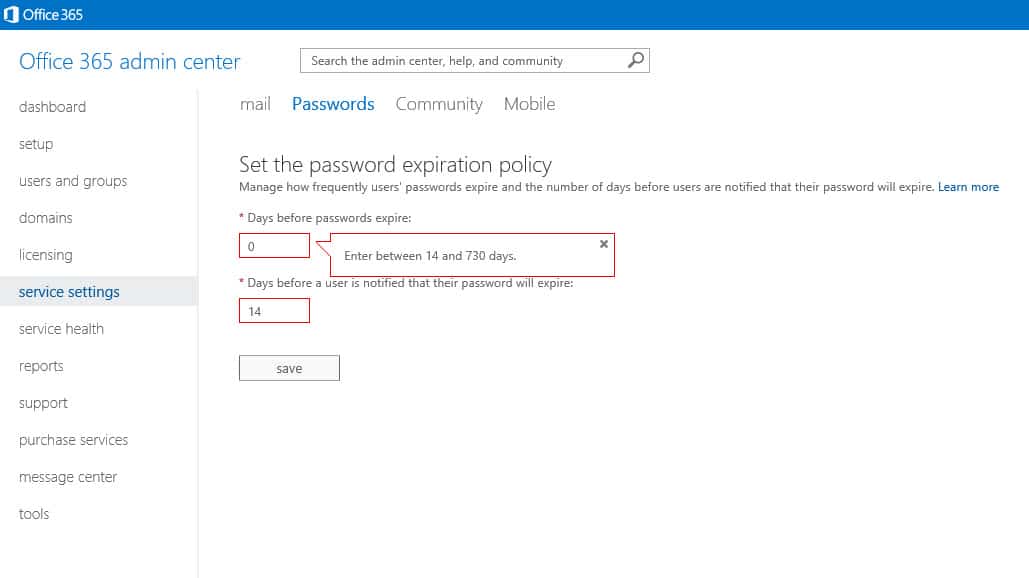
Unfortunately, this restricts us to a password that can never be used for more than 730 days (2 years). Anything outside that range and you receive an error like the one above.
Does this mean that a password must expire?
Well, no, it does not have to.
Now password expiration is a best practice but, you may have a situation that necessitates having a more permanent password. One such example could be a service account for a network copier. The copier would use this account to perform scan-to-email functions. A user would scan a hardcopy of a document into the scanner and send it to email leveraging Office 365.
Most likely, you are never going to log with the scanner account. This means you will never see the expiration notice. You could set up a calendar reminder for yourself. You could also plaster your monitor with sticky notes. But, more than likely, your scan-to-email will break one day and leave you scratching your head as to why.
So, how do you set a password to never expire? The Admin Center gives you an error. So, what is left?
[Read more…] about Office 365: Set Passwords To Never ExpireEasily Connect to Office 365 with PowerShell
Office 365 is great, but the Admin Center does not bode well for bulk tasks. What might take an insanely massive amount of time in the graphical user interface may only take seconds in PowerShell.
In the first part of this article, we discuss all the prerequisites required to make the connection. The second part discusses how to make the connection.
Prerequisites
First, we need to install the MSOnline module in PowerShell. To do this launch PowerShell as an administrator.
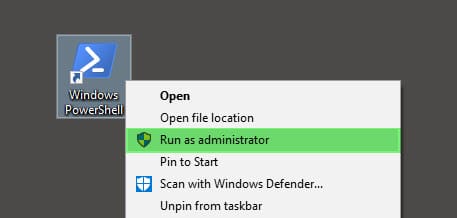
Then type the following:
C:\> Install-Module -Name MSOnline
You may be prompted to install the NuGet provider if it is missing or out of date. Type Y and press enter to install NuGet.
NuGet provider is required to continue

PowerShellGet requires NuGet provider version '2.8.5.201' or newer to interact with NuGet-based repositories. The NuGet provider must be available in 'C:\Program Files\PackageManagement\ProviderAssemblies' or
'C:\Users\Administrator\AppData\Local\PackageManagement\ProviderAssemblies'. You can also install the NuGet provider by running 'Install-PackageProvider -Name NuGet -MinimumVersion 2.8.5.201 -Force'.

Do you want PowerShellGet to install and import the NuGet provider now?
[Y] Yes  [N] No  [S] Suspend  [?] Help (default is "Y"): Y
You may be prompted to allow installation from an untrusted repository. With this being a known module from the PowerShell Gallery, type Y and press enter. However, it is always wise to scrutinize all modules, regardless of where they are sourced.
Untrusted repository

You are installing the modules from an untrusted repository. If you trust this repository, change its InstallationPolicy value by running the Set-PSRepository cmdlet.

Are you sure you want to install the modules from 'PSGallery'?
[Y] Yes  [A] Yes to All  [N] No  [L] No to All  [S] Suspend  [?] Help (default is "N"): Y
With the module installed you will need to close any PowerShell windows.
[Read more…] about Easily Connect to Office 365 with PowerShellMultiple password prompts when accessing files on SharePoint
I ran into a situation recently where users kept getting multiple passwords prompts when trying to access documents off SharePoint. It didn’t matter what kind of document the user was trying to open. Often they would be prompted as many as 2 or 3 times before the document would open and, it never made a difference if they checked to Remember Password or not. It was incredibly aggravating for my users and needed immediate attention.
Luckily the fix was quite simple
Slow browsing while using SharePoint Explorer View
SharePoint Explorer View allows you to view your SharePoint Document Library in a Windows Explorer View. This view is nice for uploading dozens of files at once, very quickly and very easily.

However, the performance of your Explorer View may be severely impacted by a single checkbox. If you have ever tried to use Explorer View and browsing between the folders is incredibly slow then here is how you fix it. The difference is night and day.
Getting your multifunction network scanner to work with Office 365
I ran into a strange issue recently where I could not get a Konica Minolta Bizhub multifunction network scanner to send scans to email using office 365.
After some useful posts on the Microsoft Office 365 Community Forums and a lot of trial and error, I discovered what I needed to do to make this particular scanner relay mail through Office 365.
[Read more…] about Getting your multifunction network scanner to work with Office 365