• Skip to primary navigation
  • Skip to main content
  • Skip to primary sidebar
  • Skip to footer

SuperTekBoy

Practical Help for Exchange & Office 365

  • Exchange
    • News
    • Tutorials
    • Solve a Problem
  • Office 365
    • News
    • Tutorials
    • Solve a Problem
  • Outlook
    • Tutorials
    • Solve a Problem
  • Books
  • Podcasts
  • Quick Links…
    • Generate or Renew SSL Certs for Exchange
    • Connect PowerShell to Exchange Online
    • Connect PowerShell to Office 365
    • Extend Schema for Exchange
    • Exchange Schema & Build Numbers
  • More…
    • Kemp Load Balancers
    • Other tech…
    • Videos
    • About SuperTekBoy
    • Contact Us

Configure Kemp Virtual Load Balancer on VMware ESXi

March 16, 2015 By Gareth Gudger Leave a Comment

Share
Tweet
Share
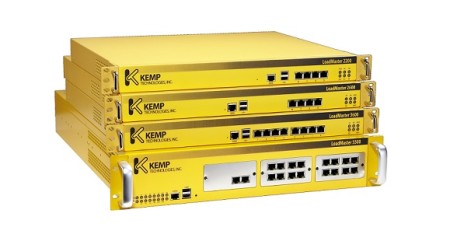
Load Balancer Produkte Familie Kemp Technologies

The Kemp Load Balancers are a fantastic series of products. Just this month, Kemp announced that it is offering a free virtual load balancer.

The free load balancer is great for a lab, proof of concept, or, small production environment. Be sure to check out our review here.

Given this fantastic offer–and the fact we were already huge Kemp fans–we decided to start a series on configuring Kemp load balancers for Exchange.

In part one, we look at how to deploy the free virtual load balancer from an OVF template. We will deploy this to our standalone ESXi 5.5 environment. In the second part of our series, we will configure the load balancer for Exchange 2013.

Disclaimer: I need to point out that I am not sponsored by Kemp in any way. However, this document does contain some affiliate links.

Deploy the OVF

To get your free virtual load balancer, visit, https://freeloadbalancer.com/. Once at Kemp’s site, you will need to register for a Kemp ID (if you don’t already have one). Also, be sure to confirm your email address from the activation message.

Once logged in, you will be asked to Select Your Platform. We are going to deploy to ESXi 5.5, so let’s pick VMware (OVF).
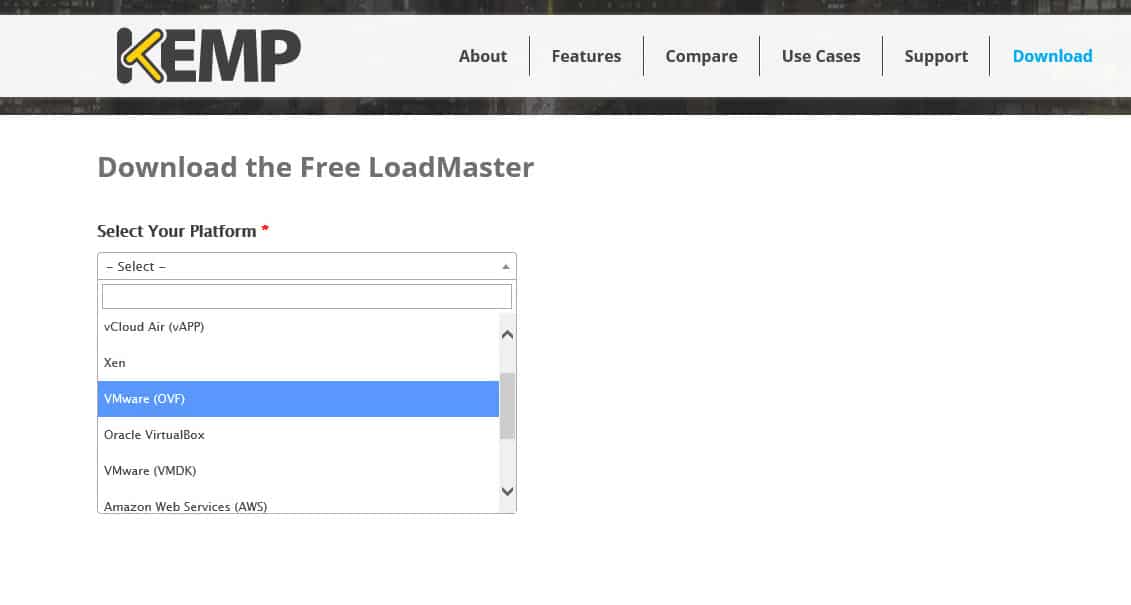
Kemp Virtual Load Balancer Download OVF

Download and extract the ZIP file to a convenient location. Inside this archive, you will find 4 files. The OVF and VMDK files are the ones we will import. To do this, connect with your VSphere Client, select the File menu and click Deploy OVF Template.

[Read more…] about Configure Kemp Virtual Load Balancer on VMware ESXi

Print Friendly, PDF & Email
Share
Tweet
Share

Filed Under: Kemp Load Balancers, Other Tech

Free Layer-7 Load Balancer from Kemp Technologies

March 9, 2015 By Gareth Gudger 3 Comments

Share
Tweet
Share

The Kemp Load Balancers are a fantastic series of products.

Just this month, Kemp announced that it is offering a free virtual load balancer.

Always free

This is a perpetually free license!

This is not a watered-down version of the paid product. Nor is it a watered-down version of the hardware appliance. This is a fully-featured Layer-7 load balancer. The main drawback – it is throttled to 20Mbps throughput.

Free Kemp Layer-7 Virtual Load Balancer

While this may seem restrictive, this is more than enough for any lab, proof of concept, or, for small production environment.

Why is Kemp doing this? Here is a quote from their website.

“The availability of a proven free load balancer from a well-established company will enable many start-ups and QA/Dev teams to focus on the task at hand. They will no longer have to worry about addressing the trade-off between cost, quality and upgradeability associated with some open source and application-embedded load balancing solutions.”

On Twitter, @KempTech stated, “We did it for our fans.”

[Read more…] about Free Layer-7 Load Balancer from Kemp Technologies
Print Friendly, PDF & Email
Share
Tweet
Share

Filed Under: Exchange News, Kemp Load Balancers, Other Tech

2013 CU Fails: RSAT-Clustering-CmdInterface isn’t installed

March 9, 2015 By Gareth Gudger Leave a Comment

Share
Tweet
Share

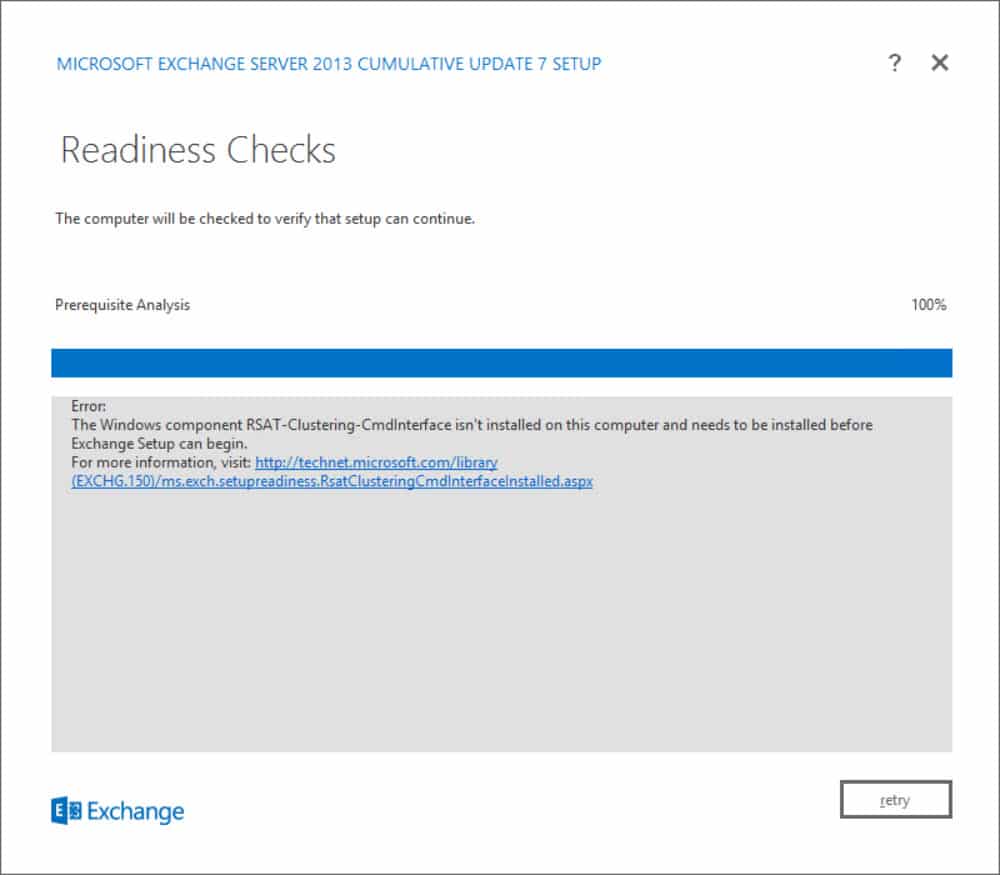
Ever run into this error? You may see it when performing a cumulative update. I ran across it when upgrading Exchange 2013 to CU7.

RSAT-Clustering-CmdInterface isn't installed

Error: The Windows component RSAT-Clustering-CmdInterface isn’t installed on this computer and needs to be installed before Exchange Setup can begin.

There are a couple of ways to resolve this error; PowerShell or GUI. Let’s explore both.

[Read more…] about 2013 CU Fails: RSAT-Clustering-CmdInterface isn’t installed
Print Friendly, PDF & Email

Filed Under: Exchange Solutions

131 funny, geeky and creepy questions to ask Cortana

March 2, 2015 By Gareth Gudger 364 Comments

Share
Tweet
Share
Questions to ask Cortana

With the Windows 10 keynote announcing that Cortana will be coming to the PC, we thought it would be really awesome to figure out all the fun things you can ask her.

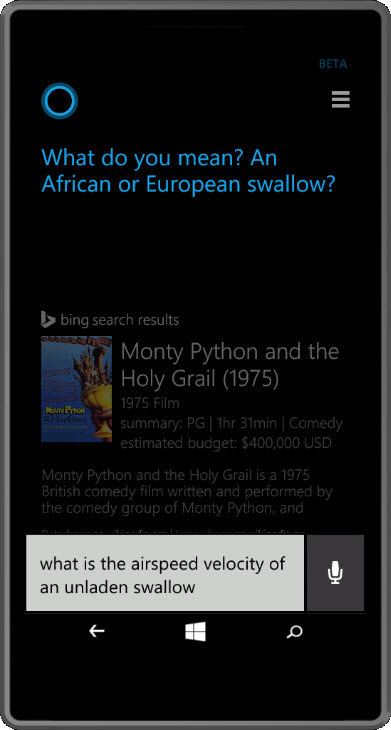
Many of these are well documented around the web. Although, we found a few ourselves. Such as asking Cortana the famous Monty Python line, “What is the airspeed velocity of an unladen swallow?” or “Rock, Paper, Scissors”. At least, we can’t find anyone else that has discovered those yet.

Some questions are funny. Some questions are geeky. And some, just outright creepy.

We didn’t want to show her responses. That’s for you to enjoy. Besides, who likes spoilers anyway? (Okay, just one then. Look up.)

Let us know if we missed any good ones. Our community recommended section is growing like crazy! We are up over 160 questions to ask Cortana now. Plus, which one is your favorite?

Found any good questions to ask Alexa? Let us know by dropping a comment on the sister blog post 131 funny, geeky and creepy questions to ask Alexa.

(Check out the credits at the bottom for a list of our sources.)

[Read more…] about 131 funny, geeky and creepy questions to ask Cortana
Print Friendly, PDF & Email
Share
Tweet
Share

Filed Under: Other Tech, Windows

Unleashing the power of the AdminAuditLog

February 18, 2015 By Gareth Gudger 1 Comment

Share
Tweet
Share

Ever wonder, Who made that modification to my Exchange environment?

I have.

So how do we answer that question?

Behold! The great and powerful Admin Audit Log!

The Admin Audit Log was introduced in Exchange 2010. But, it still seems a best-kept secret. There are a couple of ways to get to it.

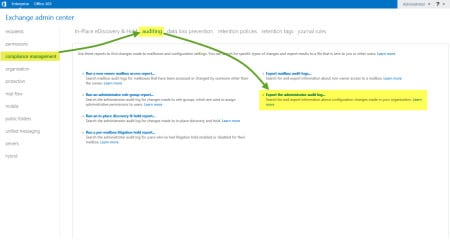
First, you can go through the EAC >> Compliance >> Auditing tabs. Then select Export Administrator Audit Log.

EAC Admin Audit Log

The second is via the Exchange Management Shell (EMS) through the Search-AdminAuditLog cmdlet. Let’s explore this method a little more.

[Read more…] about Unleashing the power of the AdminAuditLog
Print Friendly, PDF & Email

Filed Under: Exchange, Exchange Tutorials, Office 365

Windows Process Activation Service – Error 13: The data is invalid

February 16, 2015 By Gareth Gudger 29 Comments

Share
Tweet
Share

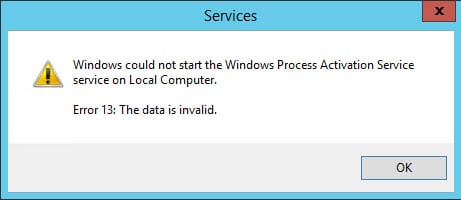
I ran into a strange error recently on an Exchange 2013 server. The WWW Publishing Service was stopped. When I tried to start the service it failed on a dependency. A quick check revealed the Windows Process Activation Service (WAS) was stopped. When I tried to start WAS, I received the following error.

Windows could not start the Windows Process Activation Service service on Local Computer Error 13 The data is invalid

Windows could not start the Windows Process Activation Service service on Local Computer. Error 13: The data is invalid.

The Event Viewer was littered with equally cryptic Event IDs, such as WAS 5005 and WAS 5036.

Not the first time

I’ve actually encountered an error like this before. I am not sure what causes it. But evidently, something in Internet Information Services (IIS) becomes corrupt. Thankfully this blog from GrinGod jogged my memory. It all came flooding back.

[Read more…] about Windows Process Activation Service – Error 13: The data is invalid
Print Friendly, PDF & Email

Filed Under: Exchange Solutions, Other Tech, Windows

  • « Go to Previous Page
  • Page 1
  • Interim pages omitted …
  • Page 33
  • Page 34
  • Page 35
  • Page 36
  • Page 37
  • Interim pages omitted …
  • Page 51
  • Go to Next Page »

Primary Sidebar

Want to stay up to date?

Sidebar Form

Join thousands of IT professionals and get the latest Exchange & Office 365 tips and tutorials direct to your inbox

DigiCert Banner 300x348

(help support us using our affiliate link)

Footer

Site Navigation

  • Subscribe to blog
  • About SuperTekBoy
  • Disclaimer
  • Privacy & Cookies
  • Contact Us

Want to stay up to date?

Footer Form

Join thousands of IT professionals and get the latest Exchange & Office 365 tips and tutorials direct to your inbox

Join the conversation

  • Twitter
  • LinkedIn
  • Facebook
  • RSS

Copyright © 2026 · SuperTekBoy LLC